
Agency task automation is the practice of using AI agents and workflow integration to handle repetitive, data-heavy operations that drain agency teams of time and capacity. A 32-person agency cut operational admin by 74%, dropping from 244 hours to 24 hours per month by automating reporting, budget tracking, and pitch prep. That result is not an outlier. Across client reporting, campaign management, and financial oversight, the best agency task automation examples show a consistent pattern: fewer manual hours, lower error rates, and faster delivery without adding headcount. The industry term for this approach is intelligent process automation (IPA), and it applies directly to the workflows agency owners touch every day.
1. Agency task automation examples: client reporting
Client reporting is the single most time-consuming recurring task in most agencies. Teams spend days pulling data from Google Ads, Meta, and GA4, formatting it, writing commentary, and sending it out, only to repeat the cycle next month.

A 14-person agency collapsed reporting time from 18–22 hours per client monthly down to 2 hours of review. That freed enough capacity to onboard 6 new clients without a single new hire, generating $112,000 in incremental annual recurring revenue. The key was replacing manual data pulls with an automated normalization layer.
The technical approach works in three steps:
- Data normalization: A normalization layer standardizes conversion data and attribution across platforms before any AI analysis runs. Without it, inconsistencies between Google Ads and Meta attribution models corrupt the final report.
- AI narrative generation: Once data is clean, an AI layer writes the performance commentary, flags anomalies, and formats the report to the agency's template.
- Parallel rollout: The automated report runs alongside the manual process for one to two cycles. Teams compare outputs, catch edge cases, and build confidence before retiring the manual workflow.
The result is better client retention, not just faster reports. Clients receive consistent, well-formatted updates every Monday morning instead of waiting on an overworked account manager.
Pro Tip: Build your normalization layer before you build your AI narrative layer. Clean data produces trustworthy reports. Dirty data produces confident-sounding reports that are wrong.
2. Automated campaign management and advertising operations
Campaign management automation covers the full lifecycle of paid media: ad builds, asset syncing, budget pacing, and quality assurance. Each of these tasks is rule-based and high-volume, which makes them ideal candidates for AI-driven campaign management.
One agency cut campaign build times by 98%, reducing a 40-hour work week of build tasks to 15–20 minutes. QA workflows dropped from 3 hours to 30 minutes per campaign launch. For a franchise client with dozens of locations, that difference is the gap between scaling and stalling.
The tasks most agencies automate first in AdOps:
- Ad builds: Blueprint-driven templates generate localized ad sets for each location automatically.
- Asset syncing: Creative assets update across all campaigns when a master file changes.
- Budget pacing: Automated rules redistribute spend when a campaign over- or under-delivers against daily targets.
- QA workflows: Automated checks verify tracking pixels, destination URLs, and ad copy before launch.
- Performance alerts: Threshold-based Slack alerts notify strategists when a campaign drifts outside target ranges.
| Task | Before automation | After automation |
|---|---|---|
| Campaign build | 40 hours/week | 15–20 minutes |
| QA per launch | 3 hours | 30 minutes |
| Localized ad sets | Manual per location | Blueprint-generated |
The strategist team does not disappear in this model. They shift from execution to oversight, spending time on audience strategy and creative direction instead of copy-pasting ad sets.
Pro Tip: Start with blueprint-driven campaign templates for your highest-volume client. Once the template is validated, replicating it across other accounts takes minutes, not days.
3. Automating client communication and task routing
Client communication is where agencies lose hours they never track. A message arrives, someone reads it, someone else interprets it, a brief gets written, a ticket gets created, and work finally starts. That chain routinely takes 4 hours or more.
Multi-agent AI systems cut that time from 4 hours to under 10 minutes. The architecture uses a Supervisor agent that reads incoming client messages, classifies the request type, and routes it to the appropriate specialized agent.
The workflow looks like this:
- The Supervisor agent reads the client message and identifies whether it is a new request, a revision, a question, or an escalation.
- A Brief agent drafts a structured creative or technical brief from the classified request.
- A Task agent creates the project management ticket with the correct assignee, deadline, and priority.
- A Communication agent drafts the client-facing acknowledgment reply.
- A human reviewer approves the brief and reply before anything goes live.
Structured briefs generated this way achieve an 80% first-pass acceptance rate, meaning 4 out of 5 briefs require no manual correction. That rate matters because every correction is time a project manager spends on admin instead of delivery.
Automated weekly summaries give clients a clear view of what was completed, what is in progress, and what is blocked. This reduces the volume of status-check messages, which in turn reduces the load on the Supervisor agent. The system improves as client communication volume grows.
Pro Tip: Train your Supervisor agent on 30 to 50 historical client messages before going live. The more examples it has, the more accurately it classifies edge cases on day one.
4. Financial impacts and growth opportunities from automation
The financial case for agency workflow automation is not theoretical. Real agencies report measurable revenue recovery and pitch acceleration after deploying automated budget tracking and reporting.
One agency improved pitch win rates from 18% to 31% and recovered €18,000 in monthly revenue by using real-time budget tracking to identify and exit unprofitable accounts. Automation allowed the team to triple its pitch capacity while maintaining profitability. That is not headcount replacement. That is a force multiplier.
Automation connects existing tools in scalable workflows with human oversight on strategy and approval. The agencies that grow fastest treat automation as connective tissue across their operations, not as a replacement for judgment.
The financial outcomes across documented case studies follow a consistent pattern:
| Agency size | Automation focus | Financial outcome |
|---|---|---|
| 14-person agency | Client reporting | $112,000 incremental ARR |
| Mid-size agency | Budget tracking | €18,000/month recovered |
| 32-person agency | Admin operations | 74% reduction in admin hours |
Automated budget tracking with Slack alerts gives project managers a real-time profitability dashboard. When a project hits a cost threshold, the alert fires before the account goes underwater. Proactive management replaces reactive damage control.
The pitch acceleration effect is less obvious but equally valuable. When reporting and admin run automatically, senior staff reclaim hours they previously spent on delivery. Those hours go into pitch preparation, which directly improves win rates and revenue growth.
5. Best practices for implementing agency process optimization
The agencies that fail at automation share one mistake: they replace manual workflows before validating automated ones. The agencies that succeed run both in parallel.
Running automated reporting alongside manual processes for one to two cycles is the single most effective risk-reduction step in any automation rollout. It builds team trust, catches data inconsistencies, and gives you a clear comparison before you retire the old process.
Practical guidelines for agency owners starting automation:
- Build the normalization layer first. Standardize data from Google Ads, Meta, and GA4 before connecting any AI analysis. Normalization across platforms is the foundation of reliable automated reports.
- Prioritize by volume and repetition. The best first automation projects are tasks you do the same way every week. Client reporting, campaign QA, and budget alerts all qualify.
- Retain human oversight on strategy. Human oversight in automation is not a limitation. It is the design. AI handles repetitive execution; humans handle judgment calls.
- Integrate, do not bolt on. Automation works best when it connects your existing tools in a workflow, not when it sits beside them as a separate system.
- Scale from simple to complex. Start with one automated report or one QA workflow. Validate it, then expand. Agencies that try to automate everything at once create more chaos than they resolve.
Pro Tip: Assign one team member as the automation owner for each workflow. That person validates outputs, handles exceptions, and decides when the parallel run is complete. Shared ownership means no ownership.
Key takeaways
Agency task automation delivers the highest returns when applied to high-volume, rule-based workflows like client reporting, campaign QA, and budget tracking, with documented results including 74% admin reductions and six-figure revenue gains.
| Point | Details |
|---|---|
| Start with reporting | Automating client reports cuts 18–22 hours per client monthly to 2 hours of review. |
| Normalize data first | A cross-platform normalization layer is required before AI analysis produces reliable outputs. |
| Run parallel before retiring | Validate automated workflows alongside manual ones for 1–2 cycles before switching over. |
| Use multi-agent routing | AI Supervisor agents cut message-to-task time from 4 hours to under 10 minutes. |
| Automation multiplies capacity | Agencies triple pitch volume and recover lost revenue without adding headcount. |
Why I think most agencies are automating in the wrong order
Most agency owners I talk to start automation with the flashiest use case: AI-generated social content, chatbots, or automated ad creative. Those projects are visible. They are also the hardest to validate and the quickest to disappoint.
The agencies that see real results start with the invisible work. Reporting. Budget alerts. Task routing. These are the workflows that consume 40 to 60 hours per month per team member, and nobody notices them until they break. When you automate the invisible work first, you recover capacity immediately. That capacity funds the next automation project.
The second mistake I see is treating automation as a technology decision instead of a process decision. Before you pick a tool, map the workflow. Write down every step, every handoff, and every exception. If you cannot describe the process clearly on paper, no AI system will execute it reliably. The agencies that reduce operational costs with AI do the process work first.
The long-term payoff is not just efficiency. It is operational agility. An agency running automated reporting, budget tracking, and task routing can absorb a 30% increase in client volume without a proportional increase in stress. That is the real competitive advantage.
— Carlos
Agentica powers autonomous agency operations at scale
Agencies that want to move from manual workflows to fully orchestrated AI operations need more than a single automation tool. Astarlabshub's Agentica platform deploys specialized autonomous AI agents that handle client reporting, AdOps, budget tracking, and pitch acceleration as coordinated workflows, not isolated scripts.
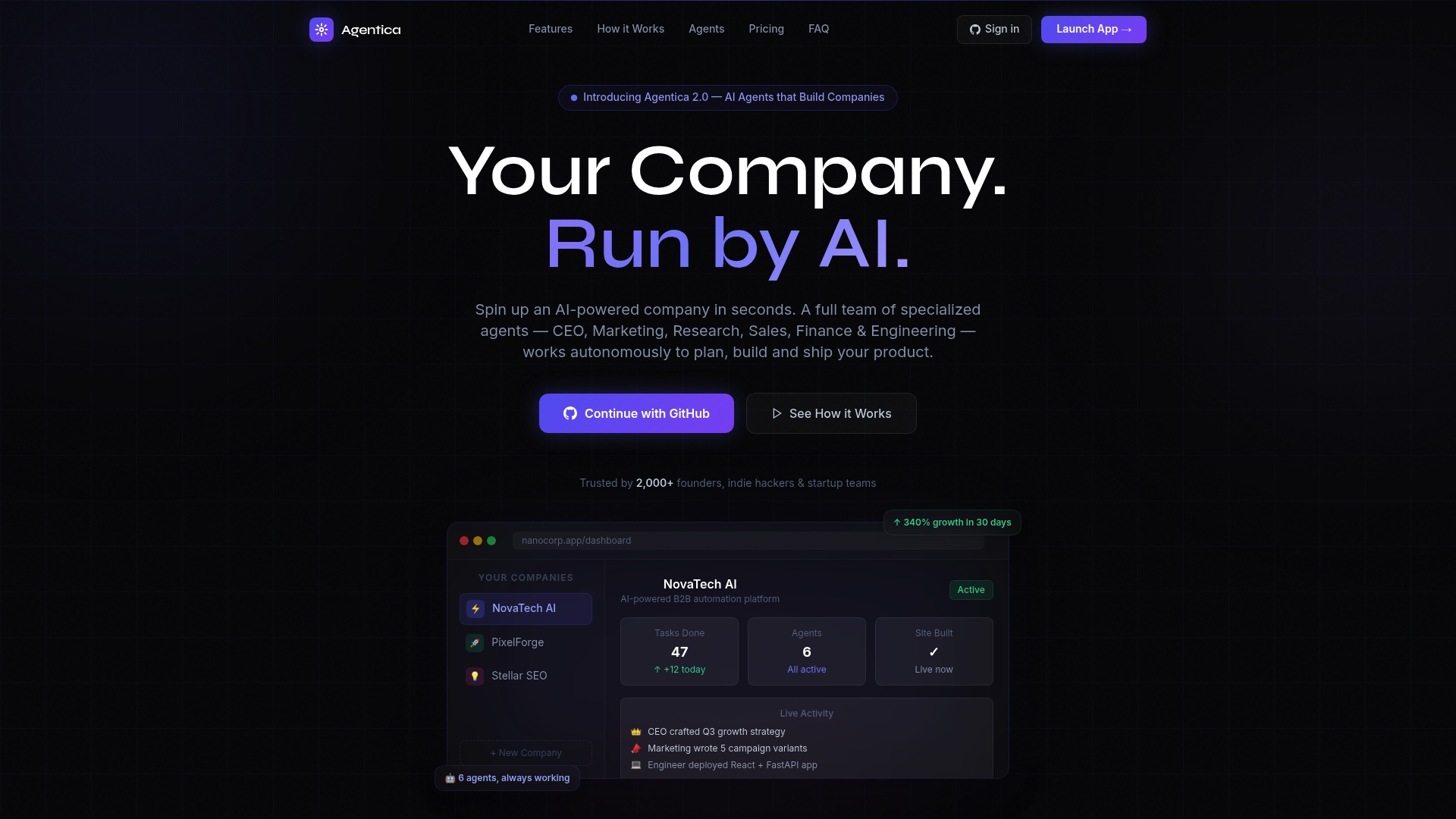
Agentica's autonomous mode lets agency owners set the objective and let the AI handle execution, from data normalization through to client-ready deliverables. The platform's full feature set covers end-to-end workflow orchestration with real-time monitoring, so you always know what the agents are doing and why. Astarlabshub reports 340% client growth in 30 days for teams that deploy the full agent stack. For agency owners ready to move past manual operations, Agentica is the infrastructure that makes it possible.
FAQ
What are the best agency task automation examples to start with?
Client reporting, campaign QA, and budget tracking are the highest-ROI starting points. These tasks are high-volume, rule-based, and directly tied to billable capacity.
How much time can automation save on client reporting?
Documented case studies show reporting time dropping from 18–22 hours per client monthly to 2 hours of review after automation, a reduction of over 90%.
What is a normalization layer in agency automation?
A normalization layer standardizes data from platforms like Google Ads, Meta, and GA4 before AI analysis runs. Without it, attribution inconsistencies make automated reports unreliable.
How do multi-agent systems improve agency task routing?
A Supervisor agent classifies incoming client messages and routes them to specialized agents that draft briefs, create tickets, and prepare replies, cutting task start time from 4 hours to under 10 minutes.
Does automation replace agency staff?
Automation replaces repetitive execution tasks, not judgment. Successful deployments keep humans in strategy and approval roles while AI handles data processing, reporting, and task creation.