
AI in onboarding automation is defined as the use of artificial intelligence to handle routine administrative tasks, deliver personalized learning content, and guide new hires through their first days without constant HR intervention. The role of AI in onboarding automation goes well beyond paperwork. It covers everything from document collection and IT provisioning to real-time question answering and training enrollment. Research from Gartner links onboarding quality to a 20% increase in discretionary effort and a 15% improvement in performance. That connection between structured onboarding and measurable output is exactly why HR leaders are turning to AI to get it right, consistently, at scale.
How does AI in onboarding automation change HR workflows?
AI automates the administrative work that consumes HR capacity before a new hire ever sits down at their desk. Document collection, background check routing, benefits enrollment, IT account creation, and compliance training scheduling are all tasks AI handles without human prompting. Recruiter time on admin tasks drops by up to 80% when AI is integrated into recruitment and onboarding workflows. That time goes back to HR teams for work that actually requires human judgment.
The automation lifecycle in a well-built system covers the full arc from offer acceptance through the first 90 days. Standard onboarding automation handles document collection, IT provisioning, and training enrollment as a connected sequence, not a series of manual handoffs. Each completed step triggers the next automatically. The new hire moves forward without waiting on an HR coordinator to check a box.
Typical onboarding activities AI can handle include:
- Sending and collecting signed offer letters and NDAs
- Triggering IT account creation in tools like Slack and Jira
- Enrolling new hires in required compliance training
- Scheduling orientation sessions and manager introductions
- Sending pre-boarding checklists and deadline reminders
- Routing payroll and benefits forms for completion
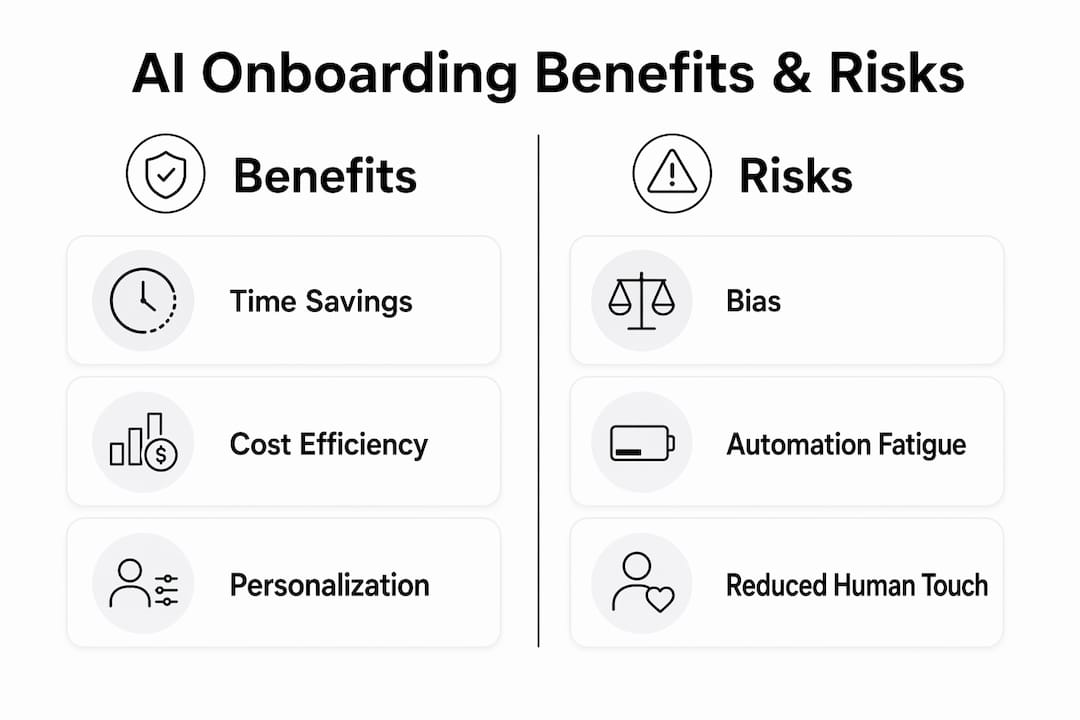
Organizations that automate these tasks save approximately $18,000 annually through reduced overhead and higher retention. The savings come from fewer errors, faster ramp-up, and less time spent on tasks that do not require a human decision.
Pro Tip: Connect your HRIS directly to your IT provisioning system before deploying any onboarding AI. Without that integration, you are digitizing a manual process, not automating it. Automated triggers for account creation only fire reliably when the two systems share data in real time.
How does AI personalize the onboarding experience for new hires?
AI personalizes onboarding by adjusting content, pacing, and communication based on each employee's role, seniority level, and learning behavior. A software engineer and a sales associate do not need the same first-week experience. AI reads role data from the HRIS and surfaces the right training modules, policy documents, and introductions for each person. The new hire gets a path that fits their job, not a generic checklist built for everyone.
AI acts as a dynamic institutional memory that employees can query in real time. Instead of waiting for an HR coordinator to answer a question about PTO policy or expense reimbursement, a new hire asks an AI assistant and gets an accurate answer in seconds. This shortens time-to-productivity because the new hire is never blocked by an unanswered question. Automated AI onboarding agents can handle common HR questions and automate ticketing for issues that require follow-up.
Personalized onboarding workflows AI can build include:
- Role-specific training sequences that adjust based on completion speed
- Automated check-ins at day 7, day 30, and day 60 with tailored prompts
- Recommended connections to teammates based on project overlap
- Custom resource libraries organized by department and function
- Sentiment tracking through pulse surveys to flag disengagement early
93% of active AI users report that AI allows them to focus on higher-level responsibilities by reducing manual tasks. For HR teams, that means more time for the coaching and cultural integration that AI cannot replicate.
Pro Tip: Set a clear boundary between what AI handles and what a human mentor owns. AI should answer procedural questions and deliver content. A real person should conduct the 30-day check-in conversation. New hires who feel they are talking only to software disengage faster than those who feel seen by a colleague.
What are the risks of deploying AI for automated employee onboarding?
AI introduces real risks when deployed without careful design. The most documented is bias. AI can perpetuate inequalities embedded in historical hiring data, which affects screening and candidate evaluation before onboarding even begins. If the training data reflects past patterns of exclusion, the AI replicates those patterns at scale. Human oversight is not optional in this context. It is the control mechanism that keeps the system fair.
A second risk is automation fatigue. Over-automation disengages new hires by replacing human contact with a sequence of automated messages and tasks. A new hire who spends their first week completing AI-generated checklists with no real human interaction is likely to feel disconnected from the organization. The onboarding experience becomes efficient but cold, and that perception affects retention.
The table below contrasts the core benefits and risks of AI-powered onboarding automation:
| Category | Benefit | Risk |
|---|---|---|
| Administrative tasks | Up to 80% reduction in HR admin time | Over-reliance may reduce HR skill retention |
| Candidate screening | Faster, consistent evaluation | Bias from historical data if unchecked |
| New hire experience | Personalized, 24/7 support | Automation fatigue if human contact is removed |
| Decision-making | Faster routing and approvals | Errors compound without human-in-the-loop controls |
| Cost | ~$18,000 annual savings per organization | High upfront integration and configuration cost |
The human-in-the-loop model is the standard mitigation for the most serious risks. AI handles routine orchestration. A human approves final contracts, payroll adjustments, and any decision with legal or financial consequences. That architecture prevents errors from compounding in sensitive areas.
Pro Tip: Audit your AI onboarding system's outputs quarterly. Pull a sample of decisions the AI influenced, from screening flags to training assignments, and check them for patterns that suggest bias or misconfiguration. Quarterly audits catch drift before it becomes a legal or cultural problem.
What are the best practices for implementing AI onboarding tools?
Successful AI onboarding implementation starts with a clear map of your current process. Before selecting any AI tools for onboarding, document every step from offer acceptance to the end of the first 90 days. Identify which steps are purely administrative, which require human judgment, and which are currently causing delays. That map tells you where AI creates the most value and where it should not be deployed.
Integration is the deciding factor between a system that works and one that creates more work. Syncing HRIS with IT provisioning is the technical foundation for effective onboarding automation. Without that connection, account creation and access grants remain manual. With it, a new hire's system access is ready before their first day, triggered automatically when HR marks the offer as accepted.

Measuring success requires specific KPIs tied to onboarding outcomes. Time-to-productivity, 90-day retention rate, new hire satisfaction scores, and HR hours spent per onboarding are the four metrics that tell you whether the system is working. Track them before and after deployment so you have a baseline for comparison.
Best practices for a smooth AI onboarding rollout include:
- Pilot with one department before a company-wide rollout
- Train HR staff on how to monitor and override AI decisions
- Communicate clearly with new hires about which interactions are automated
- Build feedback loops so new hires can flag gaps in the AI's responses
- Review and update AI content libraries every quarter to keep information current
Change management is often underestimated. HR staff who feel replaced by AI disengage from the system and work around it. Frame AI as a tool that handles the repetitive work so HR can do more of the work that matters. That framing drives adoption and keeps the human element intact. For a broader view of how AI fits into daily business operations, the same principles of clear scope and human oversight apply across functions.
Pro Tip: Do not automate the welcome. The first message a new hire receives should come from a real person, even if everything that follows is AI-driven. That single human touchpoint sets the tone for the entire onboarding experience.
Key Takeaways
AI in onboarding automation delivers measurable efficiency gains and better new hire experiences only when it combines task automation with deliberate human oversight.
| Point | Details |
|---|---|
| AI cuts admin time sharply | Integrating AI reduces recruiter and HR admin time by up to 80%, freeing capacity for strategic work. |
| Personalization drives productivity | AI tailors training, resources, and check-ins by role and pace, shortening time-to-productivity for each hire. |
| Human oversight is non-negotiable | A human-in-the-loop model prevents bias and errors from compounding in sensitive onboarding decisions. |
| Integration unlocks true automation | Connecting HRIS to IT provisioning converts digitized steps into fully automated workflows. |
| Measure outcomes, not just activity | Track time-to-productivity, 90-day retention, and satisfaction scores to confirm AI is delivering real value. |
What I've learned from watching AI onboarding go wrong
The organizations that get AI onboarding right are not the ones with the most sophisticated tools. They are the ones that were honest about what they wanted AI to do and what they needed humans to keep doing. I have watched teams deploy AI onboarding platforms with genuine enthusiasm, only to find six months later that new hire satisfaction scores dropped. The technology worked perfectly. The problem was that no one had mapped the human touchpoints that the AI replaced without anyone noticing.
The bias risk in AI-driven screening is real, and it is underreported in vendor conversations. Historical hiring data reflects historical decisions, including ones that were discriminatory. When AI learns from that data, it learns the discrimination too. The fix is not to avoid AI. The fix is to audit outputs regularly and keep humans accountable for final decisions. That accountability structure is what separates responsible deployment from a liability.
The most underrated benefit of AI onboarding is what it does for HR professionals, not just new hires. When AI handles document routing, scheduling, and FAQ responses, HR teams get time back for the work that actually builds culture: mentorship conversations, manager coaching, and retention planning. That shift in how HR spends its time is the real return on investment. The role of AI agents in business operations follows the same pattern. Automation handles the repeatable. Humans handle the irreplaceable.
— Carlos
How Astarlabshub's Agentica powers AI-driven onboarding
Astarlabshub built Agentica 2.0 for exactly the kind of end-to-end automation that onboarding requires. The platform deploys specialized AI agents that handle workflows autonomously, from document collection and scheduling to real-time Q&A support for new hires.
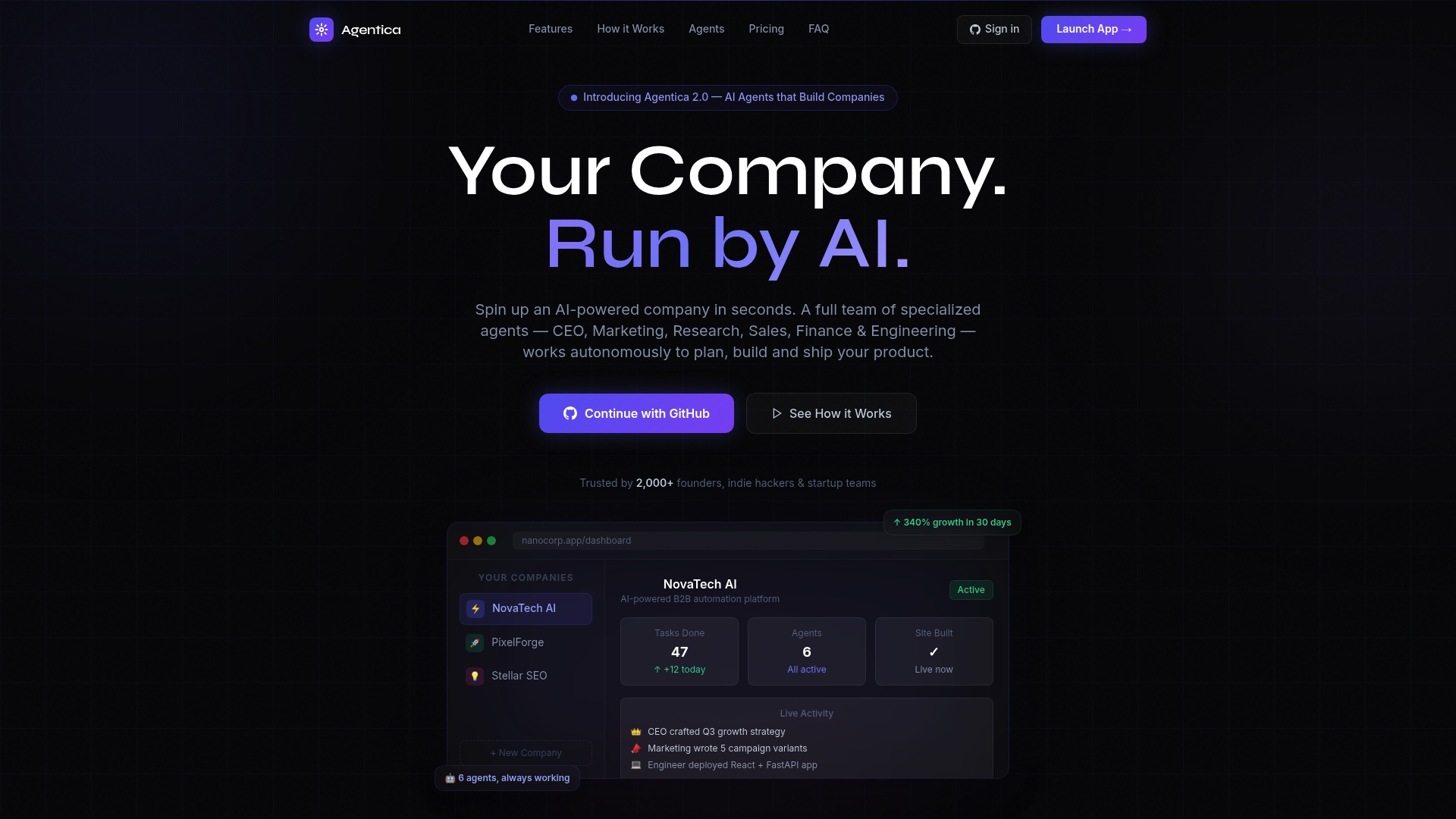
Agentica's autonomous agents work as a coordinated team, covering the administrative and informational layers of onboarding without requiring constant human input. HR leaders get full visibility through real-time monitoring, so nothing runs without oversight. Clients using Agentica have reported 340% growth within 30 days of deployment. Explore the Agentica agent platform to see how autonomous AI agents can take your onboarding process from manual to fully automated.
FAQ
What is the role of AI in onboarding automation?
AI in onboarding automation handles routine administrative tasks like document collection, IT provisioning, and training enrollment while delivering personalized content and real-time answers to new hire questions. This reduces HR workload and accelerates new hire productivity.
How does AI reduce bias risks in onboarding and recruitment?
AI can replicate biases embedded in historical hiring data, so a human-in-the-loop model is required for any decision with legal or financial consequences. Regular audits of AI outputs catch patterns of bias before they affect hiring outcomes.
What KPIs should HR teams track for AI onboarding success?
The four most useful metrics are time-to-productivity, 90-day retention rate, new hire satisfaction scores, and HR hours spent per onboarding. Tracking these before and after AI deployment gives you a clear baseline for measuring impact.
Can AI fully replace human involvement in onboarding?
AI handles administrative and informational tasks well, but cultural integration, mentorship, and sensitive decisions require human involvement. Over-automation reduces new hire engagement, so the most effective systems combine AI efficiency with deliberate human touchpoints.
How long does it take to implement an AI onboarding system?
Implementation timelines vary based on system complexity and integration requirements. A pilot with one department typically takes four to eight weeks, including HRIS integration, content configuration, and staff training before broader rollout.