
AI-generated apps are software products assembled by AI systems from plain-language descriptions, without requiring developers to write every line of code manually. Tools like Converge and AppForge represent the clearest ai-generated app examples available today, producing multi-screen mobile apps in hours rather than months. The industry standard for a focused MVP built with agentic workflows now sits at 2–3 weeks from idea to live URL. That compression changes the math for every founder who has ever shelved a product idea because building it felt too slow or too expensive.
1. Top AI-generated app examples worth studying
The strongest examples of AI-generated apps share one trait: they produce exportable, working codebases, not just mockups. Converge generates a 13-screen Flutter app in roughly 4 hours from a single idea. That output includes working navigation, standard state management, and multiple themed screens ready for a developer to extend.

AppForge takes a different approach. It runs a multi-agent pipeline that accepts a single sentence and returns a full React Native app. The pipeline assigns specialized agents to layout, logic, and data layers separately, then assembles the result. AppFromAI, a related tool, generates interactive apps on-device in under 30 seconds.
ShipNative focuses on iteration speed. Founders type a description in natural language, receive a live preview, and refine the output through conversation. The result is a React Native codebase they own outright. Each of these tools targets a different point on the skill spectrum, from non-technical founders to experienced engineers who want to skip boilerplate.
- Converge: Full Flutter app, 13 screens, ~4 hours, exportable codebase
- AppForge: Multi-agent React Native pipeline, single-sentence input, minutes to output
- ShipNative: Natural language to React Native with live preview and iteration
- AppFromAI: On-device generation, interactive output in under 30 seconds
Pro Tip: Request the exported codebase from any AI app generator before committing to a platform. If the tool cannot export clean, readable code, you are renting a prototype, not building a product.
2. How AI app generation compresses MVP timelines
Focused AI-powered MVPs reach production-ready status in 2–3 weeks using agentic workflows. Traditional development cycles for the same scope typically run 3–6 months. That gap exists because AI handles the repetitive scaffolding work: routing, component shells, API wiring, and basic state management.
Three technical approaches drive most of the AI app development examples you see today.
| Approach | Best for | Key tradeoff |
|---|---|---|
| No-code builders | Non-technical founders, quick prototypes | Limited customization, potential vendor lock-in |
| Orchestration frameworks | Complex multi-agent workflows, production apps | Requires some technical setup |
| Direct API calls | Full developer control, scalable production apps | Highest engineering effort |
No-code builders let founders validate ideas without writing a single line of code. Orchestration frameworks like the one Converge uses manage the handoff between agents handling UI, data, and logic. Direct API calls give engineers precise control over every AI interaction, which matters when building apps that need to scale.
Project decomposition is the skill that separates successful AI app builders from frustrated ones. Experts caution that chasing the perfect prompt is misguided. Breaking an app into discrete, buildable components before engaging any AI tool is what actually simplifies the process.
Pro Tip: Map your app as a list of user actions before you write a single prompt. Each action becomes a discrete component the AI can generate cleanly, rather than one tangled request.
3. Common pitfalls and best practices for durable AI-generated apps
The prototype-to-production gap is the most common failure point in AI app development examples. AI builders produce impressive demos quickly. Adding authentication, persistent databases, deployment pipelines, and monitoring is where most projects stall. These features require deliberate engineering decisions that no prompt can fully replace.
Data model drift is a related risk. When the UI and the database schema evolve independently, the app breaks in ways that are hard to trace. Tools that enforce synced data model specs before generating UI components prevent this failure. Define your data model first, then generate screens against it.
"The AI model is the engine, but the UI, guardrails, and data pipelines are the chassis. Skipping the chassis is how you build a car that cannot leave the driveway." — engineering principle for AI-driven mobile apps
Best practice for AI-generated UI follows a specific sequence. Define the core user loop precisely, generate the shell layout, then add components incrementally. This keeps the data model consistent across every screen and prevents the UI from drifting away from the backend logic.
- Build an evaluation harness with golden test sets during the initial build phase, not after launch
- Add authentication and session management before showing the app to real users
- Set up deployment monitoring before calling the product production-ready
- Treat AI-generated code as a first draft that needs review, not a finished product
4. Choosing the right AI app generation method for your situation
The right approach depends on three factors: your technical skill, the complexity of the app, and how much control you need over the codebase. Getting this choice wrong costs more time than it saves.
For non-technical founders validating an idea: No-code builders are the correct starting point. They produce working prototypes fast, require no coding knowledge, and let you test assumptions with real users. The tradeoff is real. You may not own the underlying code, and customization beyond the platform's limits requires a rebuild. Use these tools to validate, not to ship a long-term product.
For founders with some technical background: Orchestration frameworks give you the speed of AI generation with more control over the output. You define the components, the AI assembles them, and you review the result. This approach works well for apps with 5–15 screens and standard data requirements. The no-code and AI agent approaches each have distinct tradeoffs worth understanding before you commit.
For developers building production apps: Direct API calls and full code generation frameworks are the right tools. You get complete ownership of the codebase, full control over architecture decisions, and no platform dependency. The engineering effort is higher, but the result is a maintainable product. Building web apps with AI agents covers this workflow in detail for teams ready to go deeper.
- Validate with no-code if you have no technical background and need speed
- Use orchestration frameworks if you have basic technical skills and need a real codebase
- Use direct API calls if you are an engineer building a production product
- Always confirm codebase exportability before choosing any platform
- Plan for auth, data persistence, and monitoring from day one regardless of approach
5. Emerging trends shaping AI app generation in 2026
Autonomous AI playbooks and multi-agent pipelines are the defining trend in AI app generation right now. Instead of a single model generating all code, specialized agents handle distinct tasks: one for UI layout, one for business logic, one for data modeling, one for testing. The result is higher quality output with fewer integration errors.
Several other shifts are reshaping how founders and developers think about AI-driven mobile apps:
- Guardrails and input validation are becoming standard features, not afterthoughts. Production-grade AI apps now ship with prompt injection defenses and output sanitization built in from the start.
- Multi-modal and multi-platform support is expanding. The best AI app generation tools now produce web and mobile versions from the same description, reducing duplication.
- Startup acceleration is the clearest business impact. Teams that previously needed 6 months and a full engineering staff to reach launch are shipping in weeks with smaller teams.
- Labor dynamics are shifting. AI handles scaffolding and boilerplate. Human engineers focus on architecture, security, and product decisions that require judgment.
The role of AI in app development is moving from assistant to co-developer. Founders who treat AI generation as a workflow rather than a shortcut will build better products faster than those who treat it as a magic button.
Key takeaways
The most durable AI-generated apps combine fast AI assembly with deliberate engineering decisions on auth, data, and deployment from the start.
| Point | Details |
|---|---|
| AI generation speed is real | Tools like Converge and AppForge produce working multi-screen apps in hours, not months. |
| Decomposition beats prompting | Break your app into discrete components before engaging any AI tool for cleaner output. |
| The production gap is the real risk | Auth, persistent databases, and monitoring must be planned from day one, not added later. |
| Method choice depends on skill level | No-code suits validation; orchestration frameworks suit mid-complexity; direct APIs suit production. |
| Multi-agent pipelines lead in 2026 | Specialized agents for UI, logic, and data produce higher quality output than single-model generation. |
What I actually think about AI app generation for founders
The excitement around AI-generated apps is justified. The hype around what they can do without any engineering judgment is not.
I have watched founders spend two weeks generating a beautiful prototype, then another three months trying to make it production-ready because they skipped the boring parts: data modeling, auth, error handling, and deployment. The AI did exactly what it was asked to do. The problem was the ask.
The founders who get the most out of these tools treat AI generation as a force multiplier on good engineering thinking, not a replacement for it. They decompose the app before they touch a prompt. They define the data model before they generate a single screen. They build the evaluation harness before they show the app to anyone. That discipline is what separates a shipped product from a demo that never left the laptop.
My honest caution on vendor lock-in: if a tool cannot export your codebase, you are building on rented land. Validate fast with whatever tool works. Then move to a framework that gives you ownership before you invest serious time in the product.
AI is not replacing developers. It is replacing the parts of development that developers never wanted to do anyway. The judgment, the architecture, the product decisions: those still require a human who cares about the outcome.
— Carlos
Astarlabshub's Agentica: autonomous agents that build and run your app
Astarlabshub built Agentica 2.0 specifically for founders who want to move from idea to deployed product without assembling a full engineering team.
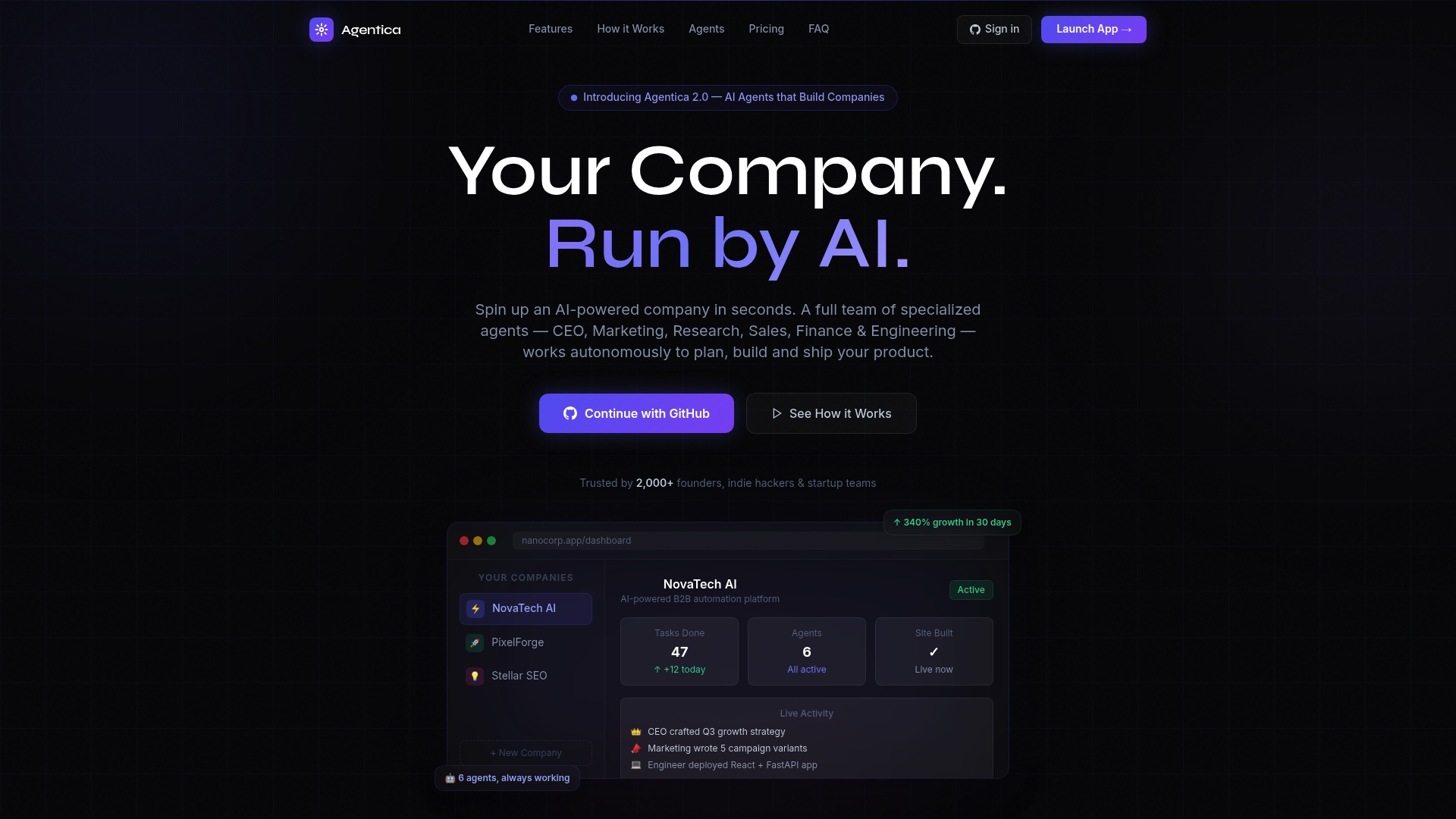
Agentica deploys a team of specialized AI agents, covering roles like CEO, Marketing, and Engineer, that work together to build, deploy, and operate your product. The platform's autonomous mode handles strategy, coding, and deployment while you focus on the vision. Clients using Agentica have reported 340% growth in 30 days. Real-time monitoring gives you full visibility into every agent action, with no fabricated metrics. If you are ready to move from AI app generation concepts to a running business, explore Agentica's features or review the pricing to find the right fit.
FAQ
What are the best AI-generated app examples available today?
Converge, AppForge, and ShipNative are among the strongest examples, each producing exportable React Native or Flutter codebases from plain-language descriptions in minutes to hours.
How long does it take to build an AI-generated app?
Focused MVPs built with agentic workflows reach production-ready status in 2–3 weeks, compared to 3–6 months with traditional development cycles.
What is the biggest risk with AI-generated apps?
The prototype-to-production gap is the primary risk. AI tools generate demos quickly, but auth, persistent databases, and deployment monitoring require deliberate engineering decisions that must be planned from the start.
Do I need coding skills to create an AI app?
No-code builders let non-technical founders generate working prototypes without writing code. Orchestration frameworks and direct API approaches require progressively more technical skill but give more control over the final product.
Can AI-generated apps handle real production traffic?
Yes, when built with proper engineering rigor. The AI model generates the logic, but UI, data pipelines, and guardrails require traditional software engineering practices to make the app reliable at scale.