
An AI-generated application is a fully functional app produced from natural-language prompts, complete with pages, routing, styling, backend logic, and AI-driven decision-making. This is not about generating a code snippet or autocompleting a function. Tools like InBuild and platforms built on GPT models now produce entire software products from a single description. For entrepreneurs, product teams, and business leaders, understanding what is ai-generated application explained means recognizing a shift in how software gets built, deployed, and maintained. The implications for productivity and workflow automation are significant and immediate.
What is an ai-generated application, exactly?
The industry term for this category is AI-generated application, sometimes called an AI-built app or AI-native application. Databricks describes AI apps as systems that orchestrate AI models, manage prompts, and sequence tool calls. That definition separates them from traditional software with a chatbot bolted on. A real AI-generated application handles authentication, database connections, UI rendering, and business logic. It does this because the AI builder made architectural decisions before writing a single line of code.
AI app builders like InBuild differ from coding assistants and no-code platforms in a specific way. AI builders generate full apps from prompts and export real, standard code you can own and modify. No-code tools lock you into proprietary runtimes. Coding assistants help developers inside editors but do not produce complete applications. The distinction matters when you are deciding which tool fits your team's production needs.

How does AI create apps? the full workflow
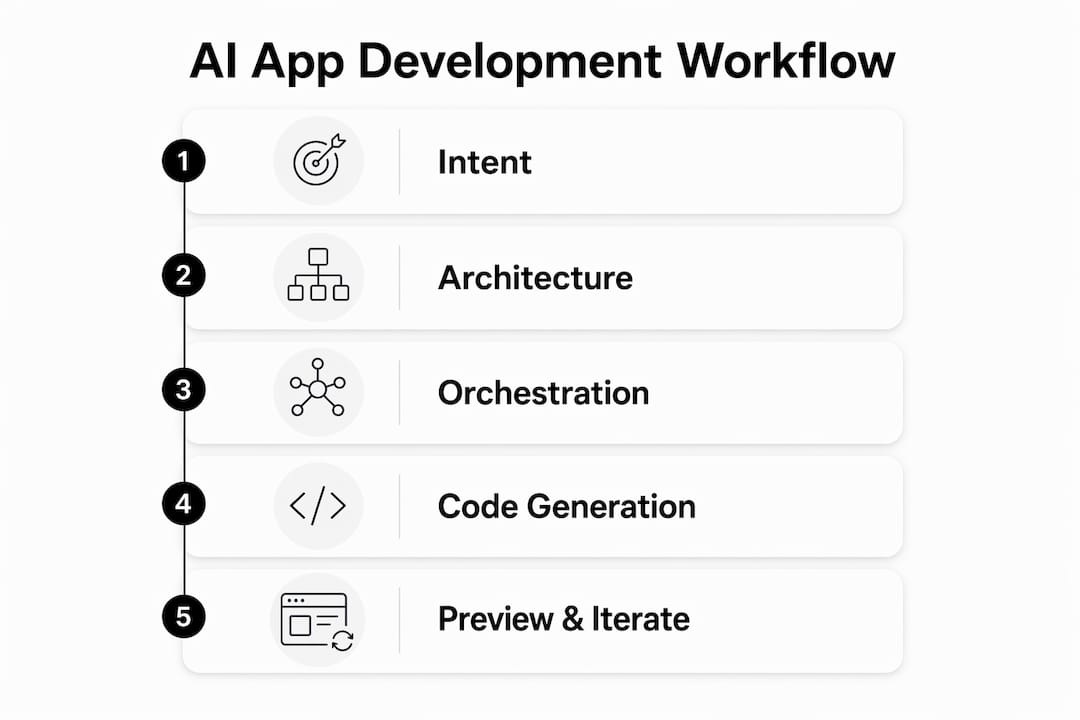
AI application development explained properly requires walking through each stage of the build process. Most people assume the AI just writes code. The reality is more structured.
Stage 1: Intent Classification The AI reads your prompt and classifies what type of application you need. A customer portal differs from an internal dashboard. The system tags the intent before any architecture decisions happen.
Stage 2: Architecture Decisions This is the most consequential stage. The AI selects the framework, authentication method, database type, and third-party integrations. Architecture decisions account for roughly 80% of the final app's quality. That figure explains why two apps built from similar prompts can perform very differently.
Stage 3: Multi-Model Orchestration No single AI model handles the entire build. Different models specialize in UI generation, backend logic, and security patterns. The orchestration layer assigns tasks to the right model at the right time.
Stage 4: Code Generation With architecture locked in, the models generate code across the full stack. Frontend components, API routes, database schemas, and environment configurations are all produced in sequence.
Stage 5: Live Preview and Iteration Sandbox execution environments let you see the running app before deployment. You can test, modify the prompt, and regenerate specific sections without starting over.
Pro Tip: Focus your prompt on business requirements and user flows, not technical specifications. The AI handles the technical layer. Your job is to describe what the app needs to do for real users.
The development surface for AI apps is broader than traditional software because it includes prompt management and handling outputs that are not always predictable. Teams that treat AI-generated apps like traditional software projects often underestimate this complexity.
Ai-native apps vs. traditional applications: what's the difference?
Understanding AI apps requires a clear distinction between three categories of software. Many teams confuse "AI-featured" apps with truly AI-native ones.
AI-native apps treat AI as the core decision engine. The AI decides what to do, which tools to call, and with what parameters. The underlying code simply executes those decisions. Remove the AI, and the app has no purpose. That is the defining test.
In contrast, a traditional app with an AI feature uses AI as one component among many. A CRM with a sentiment analysis widget is AI-featured, not AI-native. The app functions without the AI component.
| Category | Core Logic | AI Role | Without AI |
|---|---|---|---|
| Traditional App | Rules and code | None | Fully functional |
| AI-Featured App | Rules and code | Add-on feature | Mostly functional |
| AI-Native App | AI decision engine | Central to all behavior | Non-functional |
The practical consequence is architectural. AI-native apps orchestrate multi-step tasks and tool calls, where the AI selects external services and parameters dynamically. This creates a new design paradigm. You are not programming logic. You are defining goals and constraints, then letting the AI determine execution paths.
Pro Tip: When evaluating whether your team needs an AI-native app or an AI-featured app, ask one question: does the AI make decisions, or does it assist with one task? The answer determines your architecture.
Concepts like AI copilots, AI agents, and agentic workflows all fall under the AI-native category. Each involves the AI taking initiative rather than waiting for explicit instructions.
Deploying AI apps: quality and operational considerations
Building an AI-generated application is one challenge. Keeping it reliable in production is another. Teams that skip operational planning pay for it later.
Quality gates for AI apps go beyond checking whether the code compiles. Successful AI apps require human review and semantic testing against actual business requirements. The AI generates runnable code, but runnable does not mean correct. A customer support bot that gives confident wrong answers is worse than no bot at all.
Key operational requirements include:
- Security reviews: AI-generated code can introduce vulnerabilities the same way human-written code does. Automated security scanning and manual review are both necessary.
- Model evaluations: Test AI outputs against labeled datasets before and after any model update. Behavior changes between model versions are common and not always documented.
- Observability layers: Track latency and errors across database queries, model inference calls, and final response generation. Each layer can fail independently.
- User testing: Real users find failure modes that automated tests miss. Schedule structured user testing before any production release.
- Retraining triggers: Production AI systems degrade over time as user behavior shifts and data pipelines change. Set explicit thresholds for when retraining or model replacement is required.
Silent degradation is the most dangerous operational risk. The app keeps running, but output quality drops gradually. Without logging and monitoring, teams discover the problem only after users complain. Databricks recommends logging all inputs and outputs as a baseline practice for any AI application in production.
How businesses apply ai-generated apps to real workflows
The practical value of AI application development explained for business teams comes down to specific use cases. Abstract capability means nothing without concrete application.
Retrieval-Augmented Generation, known as RAG, is the most widely deployed pattern for business AI apps. RAG connects large language models to proprietary data, allowing the app to answer questions based on your internal knowledge base rather than general training data. A law firm can build a document assistant that searches case files. A manufacturer can build a parts lookup tool that queries internal inventory systems.
Practical business applications include:
- Customer support bots trained on your product documentation and support history, reducing ticket volume without sacrificing accuracy.
- Internal knowledge assistants that let employees query HR policies, compliance documents, or technical manuals in plain language.
- Autonomous agents that handle multi-step workflows like lead qualification, invoice processing, or onboarding sequences without human intervention.
- Prototyping tools that let non-technical founders test product concepts before committing engineering resources.
Choosing the right platform depends on your stage. For prototyping, speed and prompt flexibility matter most. For production, code ownership, observability, and integration depth take priority. Prompt customization and agent systems blend general AI knowledge with real-time domain data, enabling complex multi-step workflows that simple prompting cannot achieve.
Teams exploring AI automation for business consistently find that the highest-value applications are the ones that replace repetitive, high-volume tasks rather than creative or judgment-heavy work. Start there.
Key takeaways
AI-generated applications represent a genuine architectural shift, not a productivity shortcut, and teams that treat them as such build more reliable, valuable software.
| Point | Details |
|---|---|
| Definition is precise | An AI-generated app includes routing, styling, backend logic, and AI orchestration, not just generated code snippets. |
| Architecture drives quality | Architectural decisions account for roughly 80% of app quality, making early planning the highest-leverage activity. |
| AI-native is a distinct category | AI-native apps use AI as the core decision engine; removing AI makes the app non-functional, unlike AI-featured software. |
| Production requires monitoring | Silent model degradation is a real risk; logging, observability, and retraining triggers are non-negotiable for production apps. |
| RAG unlocks business value | Retrieval-Augmented Generation connects AI to private data, making customer support bots and knowledge assistants genuinely useful. |
Why most teams get AI app development wrong
I have watched teams approach AI-generated applications the same way they approached no-code tools five years ago. They expect a shortcut. They get a different kind of complexity instead.
The misconception I see most often is treating the prompt as the product. Teams spend hours refining the initial description and then assume the hard work is done. It is not. The architecture stage, the observability setup, and the ongoing model evaluation are where real quality is built or lost. A beautifully worded prompt that produces a poorly architected app will fail in production within weeks.
What actually works is treating AI-generated apps as software products that happen to be built faster. That means code reviews, security audits, and user testing. It means setting up logging before launch, not after the first incident. It means accepting that the AI will make decisions you did not anticipate and building systems to catch those decisions before users do.
The teams I have seen succeed are the ones that combine human judgment with AI speed. They use AI to compress the build timeline from months to days. They use human oversight to catch the semantic errors and edge cases that automated testing misses. Neither alone is sufficient. Together, they produce software that is both fast to build and trustworthy in production.
The future of software development is not AI replacing developers. It is small teams with strong product instincts using AI to build things that previously required large engineering organizations. That shift is already happening. The question is whether your team is positioned to take advantage of it.
— Carlos
Build your ai-powered business with Astarlabshub
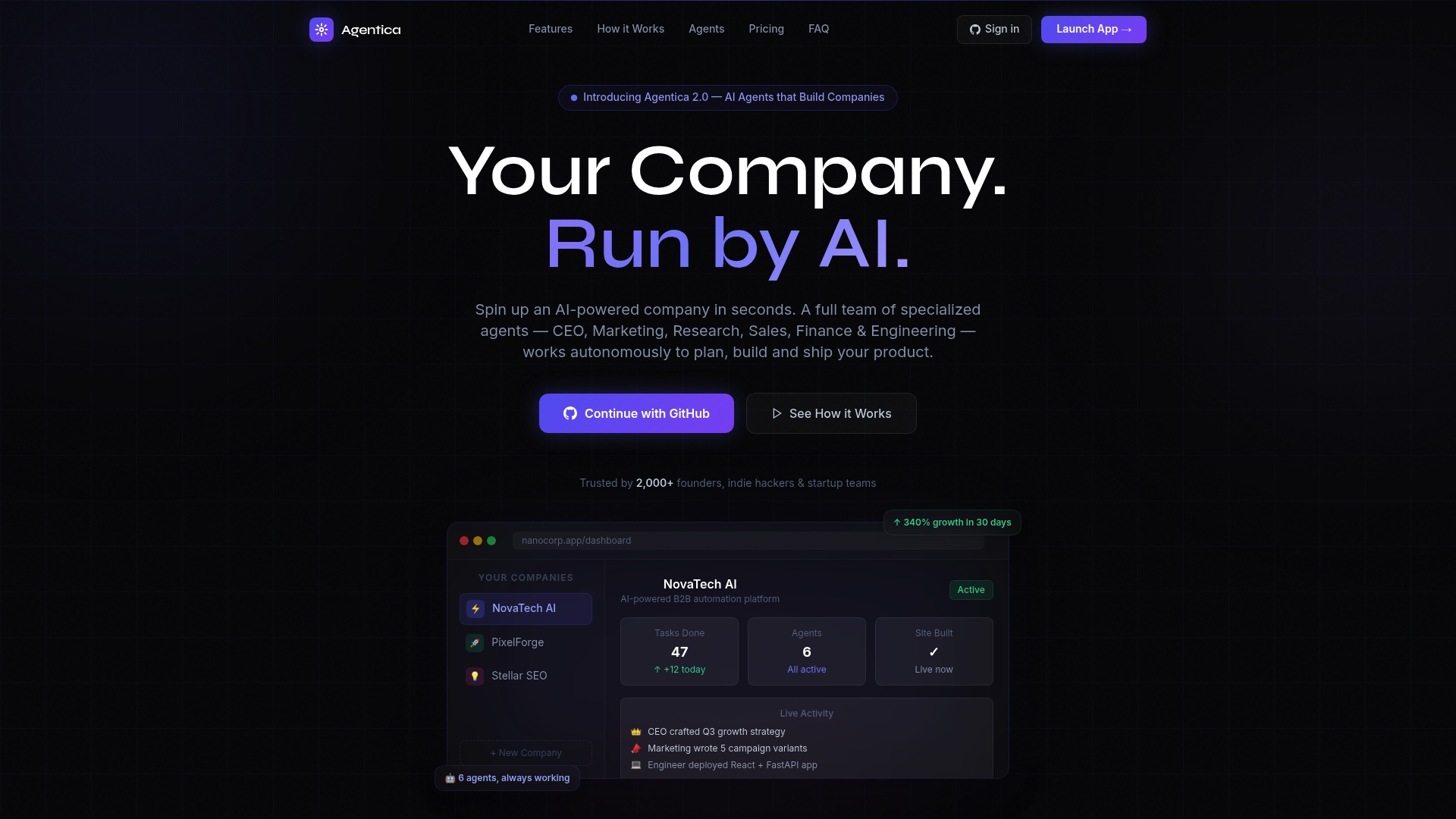
Astarlabshub's Agentica platform takes AI-generated applications further than any single app builder. Instead of generating one application, Agentica deploys a coordinated team of specialized autonomous agents, including CEO, Marketing, and Engineer roles, that manage the full lifecycle of building and operating a business. Non-technical founders describe their vision. The agents handle strategy, coding, and deployment. Clients have reported 340% growth within 30 days. If you are ready to move from understanding AI-generated apps to deploying them at scale, explore Agentica's full feature set and see what autonomous AI companies actually look like in practice.
FAQ
What is an ai-generated application in simple terms?
An AI-generated application is a complete, running software product created from natural-language prompts. It includes pages, routing, backend logic, and AI-driven behavior, not just isolated code snippets.
How does AI create apps without a human developer?
AI app builders follow a multi-stage workflow: classifying intent, making architecture decisions, orchestrating multiple AI models, generating code, and running a live preview. Human review remains necessary to verify semantic correctness and business requirements.
What makes an app ai-native rather than just ai-featured?
An AI-native app uses AI as its core decision engine. The AI selects tools, determines parameters, and drives all behavior. Remove the AI, and the app cannot function. An AI-featured app simply adds AI as one component among many.
What is RAG and why does it matter for business AI apps?
Retrieval-Augmented Generation connects a large language model to your private data sources. This allows AI apps to answer questions based on internal documents, product databases, or support histories rather than general training data alone.
How do you maintain quality in an ai-generated app after launch?
Production AI apps require continuous logging, latency monitoring, and model evaluations across all layers. Silent performance degradation is a known risk, and teams should set explicit retraining triggers before any quality drop reaches end users.