
Building a web app using AI agents means deploying specialized software components that autonomously handle coding, testing, debugging, and deployment without constant human input. The standard industry term for this approach is agentic web development, and it runs on three core protocols: MCP, A2A, and AG-UI. Tools like VS Code browser agents and Kubernetes sandboxes make this practical today, not theoretical. This guide gives entrepreneurs and developers a direct, working blueprint for creating AI-powered web apps that ship faster and break less.
What are the core protocols behind AI agent-driven web app development?
Agent-driven web app architecture splits into three distinct protocols: MCP for tool access, A2A for agent coordination, and AG-UI for frontend streaming. Each protocol handles a separate concern, which is exactly what makes the system modular. You can swap out your frontend framework without touching your agent logic, and you can add new backend tools without rewriting agent communication.
Model Context Protocol (MCP) gives agents structured access to backend tools, APIs, and data sources. Think of it as the agent's hands. Frameworks like Cortex expose auto-generated CRUD tools and event schemas as MCP endpoints, so agents can query databases, trigger migrations, and discover available modules without custom integration code.

Agent-to-Agent Protocol (A2A) handles coordination between specialized agents. A Planner agent breaks a task into subtasks, then delegates each one to a Researcher or Executor agent. Without A2A, you end up with one monolithic agent trying to do everything, which fails on complex apps.
AG-UI is the protocol that streams typed event data from the agent backend to the browser in real time. Google, AWS, and Microsoft have adopted AG-UI as an open standard. It decouples render logic from agent logic, so your React or Vue frontend receives structured events and renders them without knowing anything about the underlying agent framework.
| Protocol | Role | Example action |
|---|---|---|
| MCP | Tool access | Agent queries a database or calls an API |
| A2A | Agent coordination | Planner delegates subtask to Executor |
| AG-UI | Frontend streaming | Agent state updates rendered live in browser |
Pro Tip: Start with MCP first. Get your tools registered and discoverable before wiring up A2A coordination. Agents that cannot reliably access tools will fail at coordination too.
Separating these three protocol boundaries keeps your frontend independent from your backend agent framework. That independence is what lets teams iterate on UI and agent logic in parallel.
What tools and environments let AI agents build and test web apps?
VS Code's browser agent tools give you a closed development loop where the agent writes code, tests it in an integrated browser, finds bugs, and fixes them without you touching a line. That loop is the practical core of agentic web development.
How VS Code browser agent testing works
The agent builds an HTML, CSS, and JavaScript app, then interacts with the integrated browser to validate behavior. When it detects a bug, it patches the code and retests automatically. Closed-loop browser testing catches UI issues early, before they compound into larger failures.
The setup process follows a clear sequence:
- Enable browser agent tools in VS Code settings.
- Prompt the agent with your app specification or user story.
- Let the agent generate the initial HTML, CSS, and JavaScript files.
- The agent opens the integrated browser and runs interaction tests.
- Review the agent's bug report and approve or modify proposed fixes.
- Repeat the test cycle until the agent reports zero failures.
Pro Tip: Give the agent a written acceptance criteria list alongside your prompt. Agents with explicit pass/fail conditions produce cleaner code and fewer revision cycles.
Why sandboxed execution is non-negotiable
Isolated sandbox execution prevents malicious or broken AI-generated code from reaching your production systems. The Agent Sandbox project runs untrusted code inside Kubernetes pods with resource isolation and network restrictions. The pod executes the code, returns the output, and terminates. Nothing persists to shared infrastructure.
The sandbox workflow runs like this:
- The agent generates code and submits it to the sandbox API.
- Kubernetes spins up an isolated container with defined CPU and memory limits.
- The container executes the code and streams output back to the agent.
- The container terminates and all state is discarded.
- The agent reads the output and decides whether to revise or proceed.
This pattern lets you run AI-generated code at scale without gambling on its safety.
How do you orchestrate multiple AI agents to build complex web apps?
Multi-agent orchestration is where agentic web development gets genuinely powerful. A single agent handles simple tasks. Complex web apps require a team of agents with defined roles and coordination rules.
LangGraph-style orchestration uses four core roles: Planner, Researcher, Executor, and Critic. The Planner decomposes the app specification into discrete tasks. The Researcher gathers context, documentation, or API schemas needed for each task. The Executor writes and runs the code. The Critic reviews the output and flags failures. The Critic loops back to the Executor a maximum of twice before escalating to human review. That bounded revision loop prevents infinite cycles that waste compute and time.
Reliable agent build systems combine planner-executor-critic roles with live event streaming so you can monitor progress and errors in real time. The frontend receives these events via Server-Sent Events (SSE) and renders them as progress indicators, logs, or UI previews.
Production governance for MCP servers
Running MCP in production requires more than a working tool registry. A production MCP server must integrate authentication, rate limiting, caching, circuit breakers, and audit logging. Without these layers, a single misbehaving agent can exhaust your API quota or expose sensitive tool endpoints.
Production-ready MCP governance also includes input validation and observability hooks. Every tool call should be logged with the agent ID, timestamp, input parameters, and output status. That audit trail is what lets you debug agent behavior in production without guessing.
Pro Tip: Implement circuit breakers on every MCP tool endpoint. If an external API goes down, the circuit breaker stops agents from hammering it with retries and lets you fail gracefully.
Human-in-the-loop gating
Agent-driven UI automation requires explicit user approval for high-impact operations. Deleting records, sending emails, or making payments should never execute without a confirmation step. Frontend tool wrappers intercept these actions and present a confirmation dialog before the agent proceeds. This is not optional for production apps. It is the difference between a useful AI tool and a liability.
You can also use specialized AI agent roles to assign gating responsibilities. A dedicated oversight agent monitors for high-impact actions and routes them through the approval flow before the Executor runs them.
What are the practical steps to build an AI-agent-powered web app?
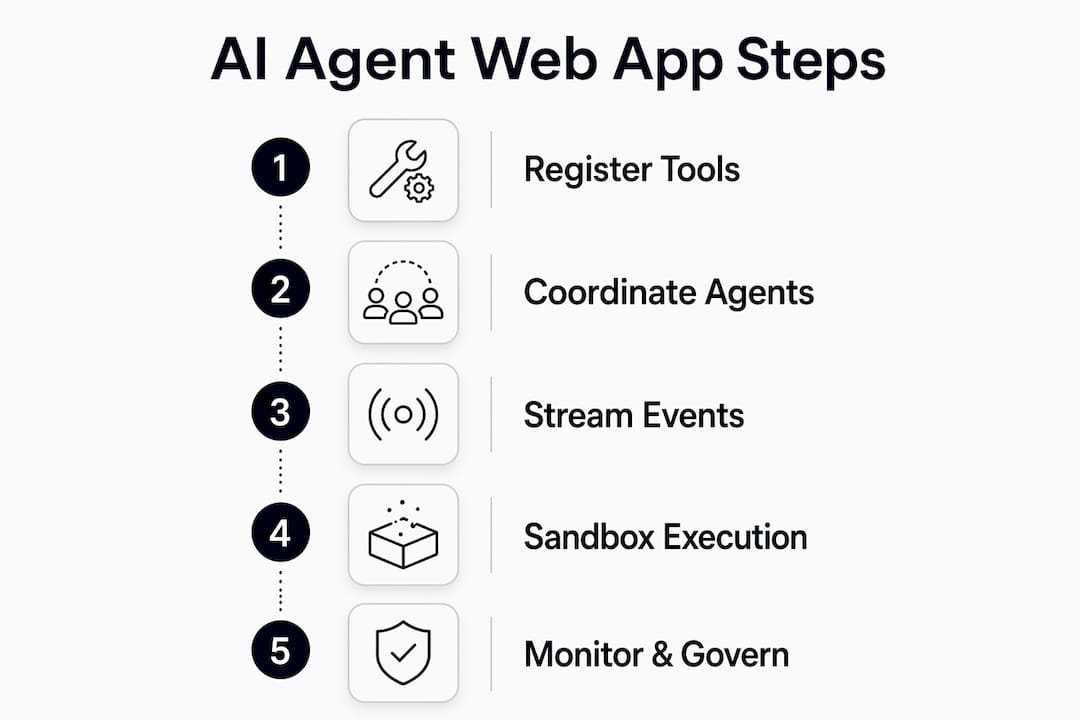
The following steps give you a working sequence for developing web applications with AI agents, from initial planning through production deployment.
-
Define your app scope and agent tool capabilities. Write a clear specification that lists every feature the app needs. Then map each feature to a tool the agent will need: database access, external APIs, file storage, or email services.
-
Set up your MCP server. Register each tool with a schema the agent can discover. Use a framework like Cortex to auto-generate CRUD tools from your data models. Test each tool endpoint manually before connecting agents.
-
Configure your agent roles. Assign Planner, Researcher, Executor, and Critic roles using a framework like LangGraph. Define the maximum revision loop count for the Critic before it escalates.
-
Wire up AG-UI for frontend streaming. Connect your frontend to the agent backend using the AG-UI protocol. Define the event types your UI will render: progress updates, code previews, error messages, and completion signals.
-
Enable closed-loop browser testing. Set up VS Code browser agent tools or an equivalent testing environment. Write acceptance criteria for each UI component and feed them to the agent alongside the build prompt.
-
Deploy code execution to a Kubernetes sandbox. Route all agent-generated code through the sandbox before it touches any shared environment. Log every execution result for audit purposes.
-
Add human-in-the-loop gates for critical actions. Identify every destructive or irreversible operation in your app. Wrap each one in a frontend confirmation flow before the agent can execute it.
Common pitfalls to avoid:
- Skipping MCP tool validation before connecting agents. Agents fail silently when tools return unexpected schemas.
- Running agent-generated code directly in development environments. Always use sandboxes, even locally.
- Setting no revision loop limit on the Critic role. Unbounded loops consume resources and rarely improve output quality.
- Ignoring AG-UI event errors. Frontend rendering failures are often the first sign of a broken agent state.
Pro Tip: Build a simple status dashboard that displays live AG-UI events during development. Watching the agent's event stream in real time cuts debugging time significantly.
For a deeper look at AI-generated app workflows, including browser agent testing patterns and closed-loop validation, the Astarlabshub blog covers practical implementation in detail.
Key takeaways
Building web apps with AI agents requires three protocol layers (MCP, A2A, AG-UI), sandboxed code execution, multi-agent role separation, and human approval gates for any destructive action.
| Point | Details |
|---|---|
| Three-protocol architecture | MCP, A2A, and AG-UI each handle a separate concern, keeping agent and UI logic independent. |
| Sandboxed code execution | Run all AI-generated code in Kubernetes pods to prevent production system exposure. |
| Multi-agent role separation | Assign Planner, Researcher, Executor, and Critic roles with bounded revision loops. |
| AG-UI for real-time feedback | Stream agent state to your frontend so developers can monitor and debug live. |
| Human-in-the-loop gates | Require explicit user approval before agents execute any destructive or irreversible action. |
Why protocol discipline is the real unlock in agentic development
I have watched teams build impressive demos with AI agents and then spend weeks untangling spaghetti when they tried to scale. The demos worked because the agent had direct access to everything. The production system failed because nothing was separated.
The teams that ship reliable AI-powered apps treat protocol boundaries as first-class design decisions, not afterthoughts. They define MCP tool schemas before writing a single agent prompt. They wire up AG-UI before they care about what the frontend looks like. They test in sandboxes from day one, not after something breaks in staging.
The Critic role in LangGraph-style orchestration is another thing people underestimate. Most developers skip it or set no loop limit. A Critic with a two-revision cap and clear failure criteria catches the majority of agent errors before they reach the browser. That is not a theoretical benefit. It is the difference between an app that works and one that requires constant babysitting.
The human-in-the-loop pattern also gets dismissed as friction. It is not. Users trust AI-powered apps more when they see a confirmation step before something consequential happens. That trust is worth more than the half-second you save by skipping the dialog.
My honest forecast: the teams that invest in MCP governance and AG-UI event modeling now will have a significant advantage as agent tooling matures. The protocol layer is where the real complexity lives, and getting it right early compounds over time.
— Carlos
How Astarlabshub's Agentica platform accelerates agent-driven app development
Astarlabshub built Agentica 2.0 specifically for entrepreneurs and developers who want to ship AI-powered apps without managing every layer of agent infrastructure manually. The platform deploys a coordinated team of specialized agents, including CEO, Marketing, and Engineer roles, that handle strategy, coding, and deployment end to end.
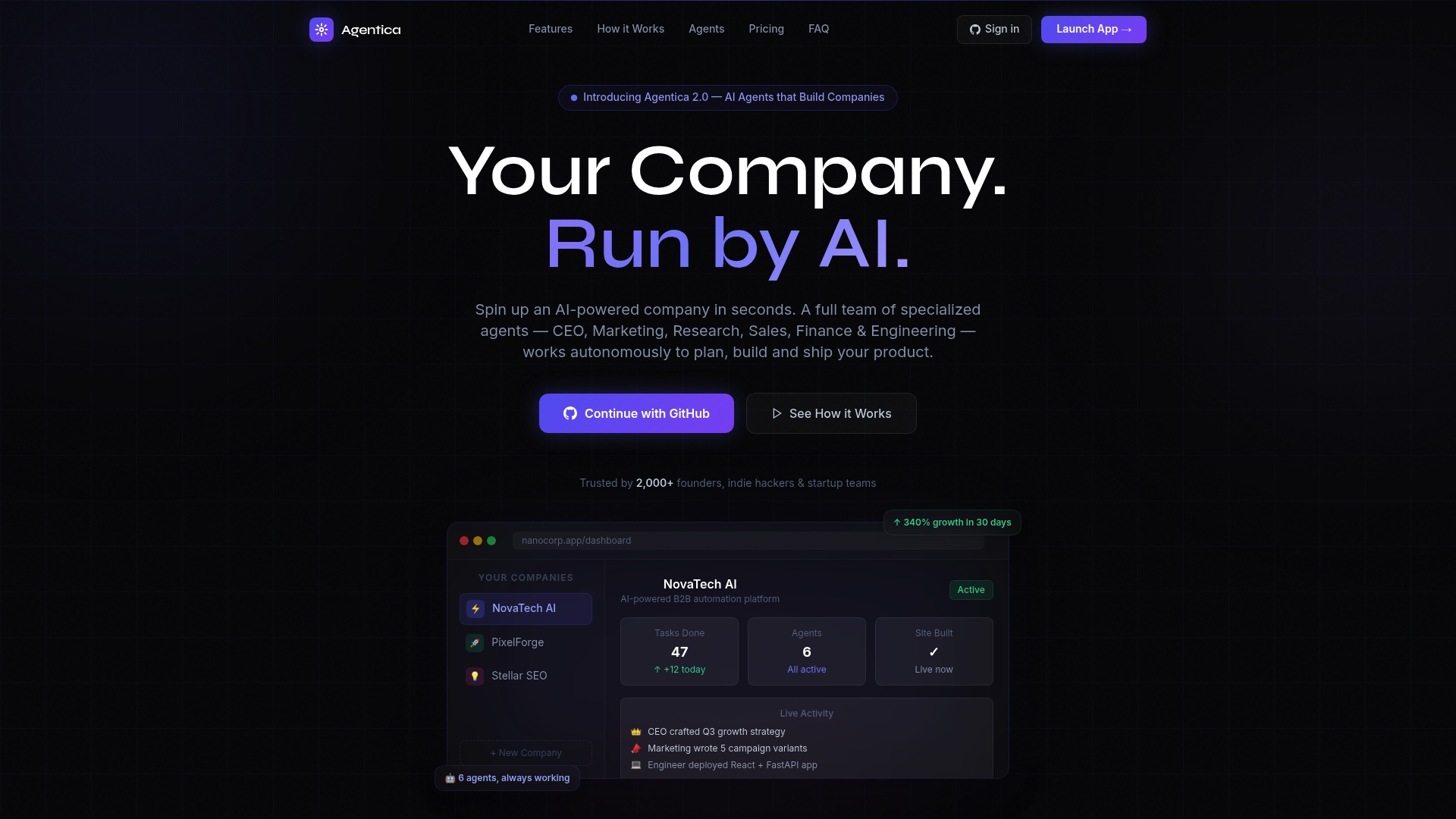
Agentica's autonomous agent orchestration handles the multi-agent coordination patterns described in this article, including role separation, revision loops, and real-time monitoring, so you can focus on product decisions rather than infrastructure. Astarlabshub reports 340% growth for clients within 30 days of deployment. Explore Agentica's full feature set and pricing options to find the right plan for your build.
FAQ
What is the AG-UI protocol in web app development?
AG-UI is an open standard protocol that streams typed event data from an AI agent backend to a browser frontend in real time. Google, AWS, and Microsoft have adopted it, and it decouples agent logic from UI rendering.
Do I need Kubernetes to run AI agent sandboxes?
Kubernetes is the standard environment for agent sandboxes because it provides container isolation, resource limits, and network restrictions. The Agent Sandbox project uses Kubernetes pods to run untrusted AI-generated code safely.
How many agents do I need to build a web app with AI?
A minimum viable multi-agent setup uses four roles: Planner, Researcher, Executor, and Critic. Simple apps can run with just an Executor and a Critic, but complex apps benefit from full role separation.
What is MCP and why does it matter for AI agents?
Model Context Protocol (MCP) gives AI agents structured, discoverable access to backend tools and APIs. Without MCP, agents require custom integration code for every tool, which breaks at scale.
How do I prevent AI agents from taking destructive actions in my app?
Use human-in-the-loop gating. Wrap every destructive or irreversible operation in a frontend confirmation flow that requires explicit user approval before the agent executes the action.