
Getting an AI business builder that launches and manages a full business without hiring engineers or assembling multiple tools remains time-consuming and fragmented. Many platforms gate crucial features behind sales calls, limit code export, or only handle basic setup instead of the whole process. This comparison matches each competitor to real automation, code rights, and tool integration so you can pick a nocodelab.ai alternative that actually fits your workflow.
Table of contents
Agentica
At a glance
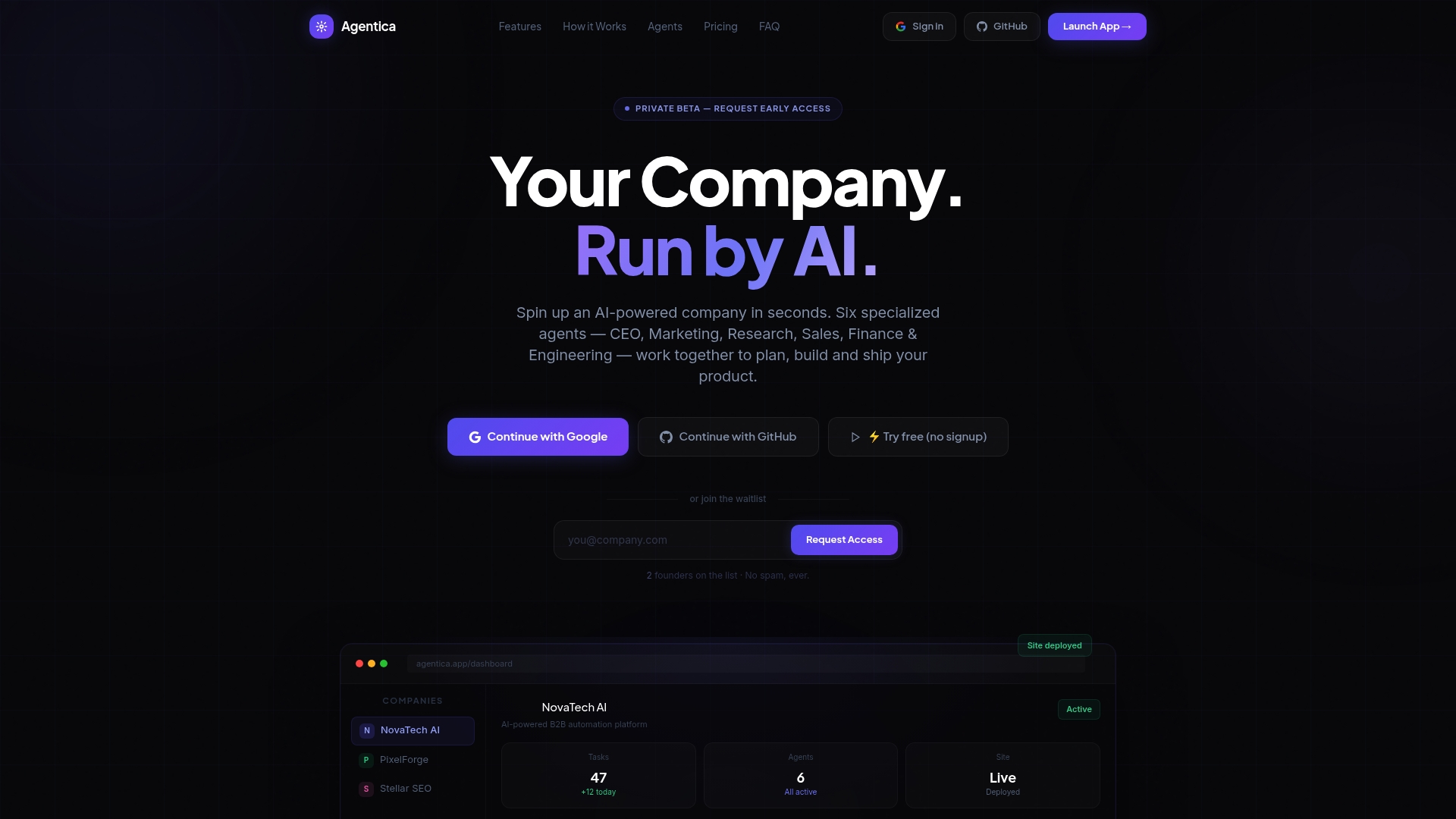
Agentica's marketing materials claim 340% growth for clients in 30 days. That figure is a vendor self report. The platform runs a coordinated team of AI agents that manage strategy, marketing, engineering, and deployment. Agentica is currently in private beta and targets non technical founders and small teams.
Core features
Agentica coordinates specialized agents to build and run a company from idea to deployed app.
- Full-Stack App Builder generating React front ends and FastAPI back ends.
- Autonomous Mode that continues operating without manual input.
- Real-Time Streaming of agent reasoning and activities for transparency and debugging.
- Landing page generator for marketing sites and automated campaign flows.
Key differentiator
Agentica automates the entire company lifecycle through a Multi-Agent Team that handles strategy, product, and deployment. The agents produce deployable code and tie that output into standard developer workflows. That removes the need for founders to write or manage production code themselves.
Pros
-
Enables rapid automation of company workflows without coding. Teams with little technical staff can get a product scaffolded and running.
-
Produces deployable applications and API code. The generated React plus FastAPI stack can be pushed to developer repositories for immediate work or deployment.
-
Supports continuous, autonomous operation. The platform can run tasks over time so owners do not need to orchestrate every update.
-
Integrates with common deployment tools. Connections to GitHub, Vercel, and Railway let you push code and host sites directly from agent output.
-
Designed around non technical founders and small teams. The UI and agent roles aim to reduce dependence on external engineering hires.
Cons
- Private beta status means features, stability, and scale characteristics may still be evolving.
Notable integrations
Agentica connects agent output into existing developer and hosting flows.
- GitHub for code hosting and version control.
- Vercel for frontend deployment and hosting.
- Railway for backend deployment and services.
Who it's for
Founders and small teams who need to launch products without hiring full engineering staff will find this useful. Non technical founders who want working prototypes and live marketing pages fast benefit most. Larger enterprises with complex compliance or custom workflows may find the fit limited.
Unique value proposition
Autonomous Mode runs a continuous agent team that generates production ready React and FastAPI code and pushes it into your GitHub workflow. That pattern lets a founder move from brief to deployed site with minimal hands on coding. The result shortens the path from idea to a live product, and it ties directly into hosting platforms for fast launches.
Real world use case
A startup founder supplies a company brief and branding assets. Agentica generates a landing page, scaffolds an app, commits code to GitHub, and deploys the site to Vercel. The founder then monitors agent activity and updates marketing campaigns without hiring a developer.
Pricing
Pricing is configured on the backend. Plans include a free tier, $29/mo starter, $79/mo pro, and $199/mo agency. Contact the vendor in private beta for exact limits and onboarding details.
Website: https://astarlabshub.com
Buildy
At a glance
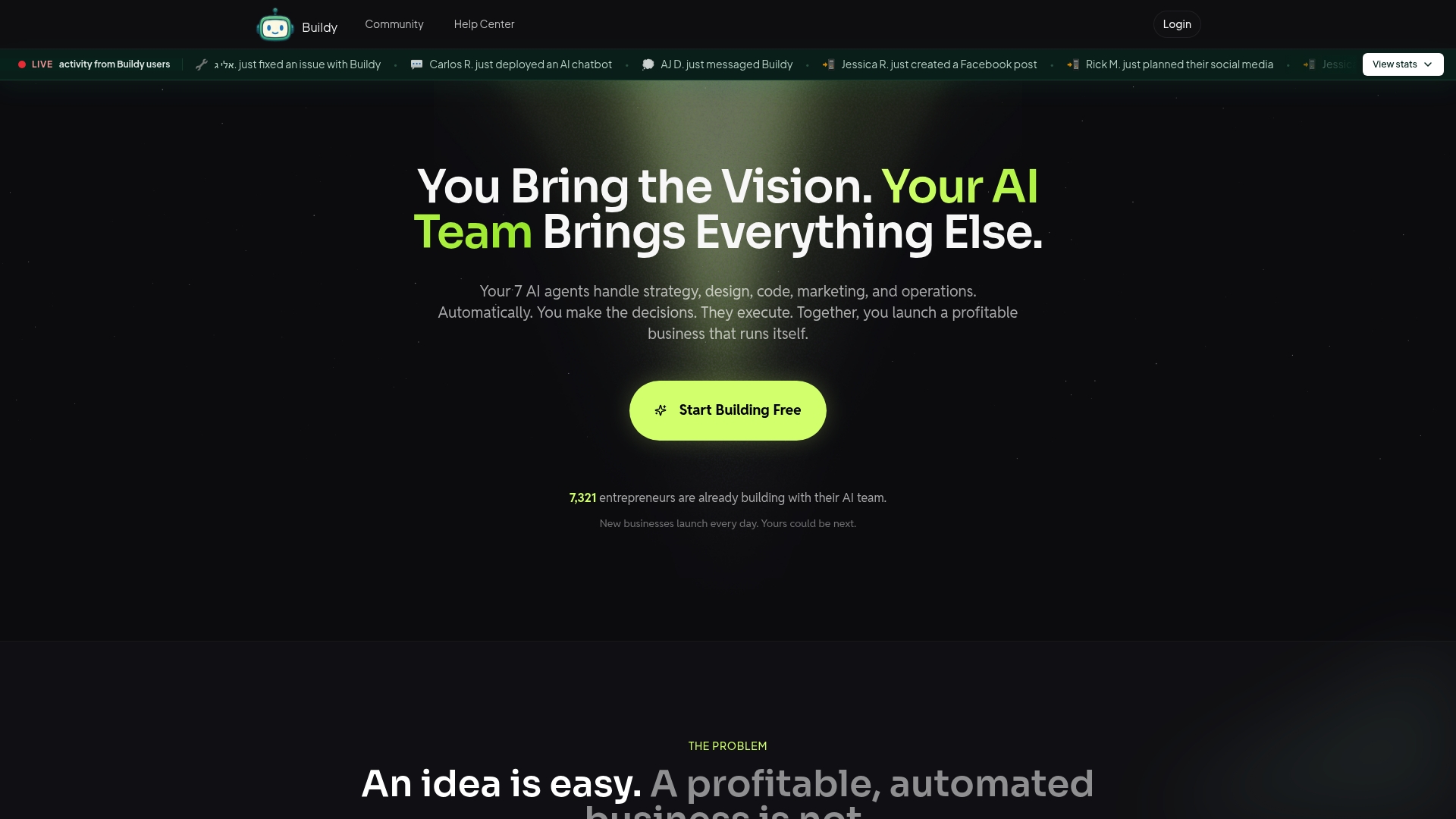
Buildy reports seven AI agents that cover strategy, design, coding, marketing, operations, analytics, and optimization. That grouping aims to build and operate a business end to end, which is why entrepreneurs list it among nocodelab.ai alternatives. The platform targets solo founders who want to launch without hiring specialists.
Core features
- Seven AI agents handling market research, launch strategy, branding, full stack code generation, marketing, operations, analytics, and optimization.
- Custom designed website or web app with hosted code and full ownership rights for the buyer.
- Integrated payments via Stripe and PayPal plus credit card support, and automated sales funnels for email, ads, and content.
- AI chatbots and voice agents for customer support, automated order and follow up workflows, and a unified analytics dashboard tracking visitors, leads, and sales.
Key differentiator
Buildy builds and runs your business using coordinated AI roles rather than selling templates or isolated tools. Those agents take sequential tasks from market research to customer support, which reduces the number of third party tools you must stitch together. For founders who want a single place to launch and operate, that ownership model is the main draw.
Pros
- Automates the full setup process so you can move from idea to live site faster. This matters if you have limited time and no developer budget.
- Lets nontechnical founders skip hiring for design and coding by generating working web apps and branded assets. You keep the code and deployment rights.
- Replaces several point tools with one environment for payments, funnels, support, and analytics. That reduces integration overhead.
- Central dashboard keeps leads, visitors, and sales in one view. Teams with small headcount will appreciate fewer places to check.
- Built in chat and voice agents handle common support tasks. That lowers repetitive work for solo founders.
Cons
- Buyer feedback indicates limited customization flexibility for advanced interfaces or bespoke workflows. Power users may hit a ceiling.
- The platform gives limited manual control over AI outputs, so you will likely edit designs or copy after generation.
- Scaling beyond simple offerings can increase cost because customized work or extra services may be required.
- Not ideal for highly complex or niche businesses that need unique backend integrations or custom compliance.
When it may not fit
If your business needs finely tuned custom code or specific third party integrations, Buildy may not match those technical requirements. Teams that require strict manual control over every UI element will find the AI-driven workflow constraining. Also, if you expect heavy enterprise scale without added engineering work, costs and limits could become a blocker.
Who it's for
Solo entrepreneurs and small business founders who want to launch an online business without hiring designers, developers, or marketers. Builders who prefer a single managed environment for payments, funnels, and support will get the most value. Avoid this if you plan to ship highly bespoke software from day one.
Real world use case
A founder with no coding background uses Buildy to launch a niche subscription service. The agents produce the market research, build the website, wire Stripe payments, create email funnels, and deploy chat support. That setup lets the founder test the market quickly while handling customer inquiries automatically.
Website: https://buildy.ai
Exova AI
At a glance
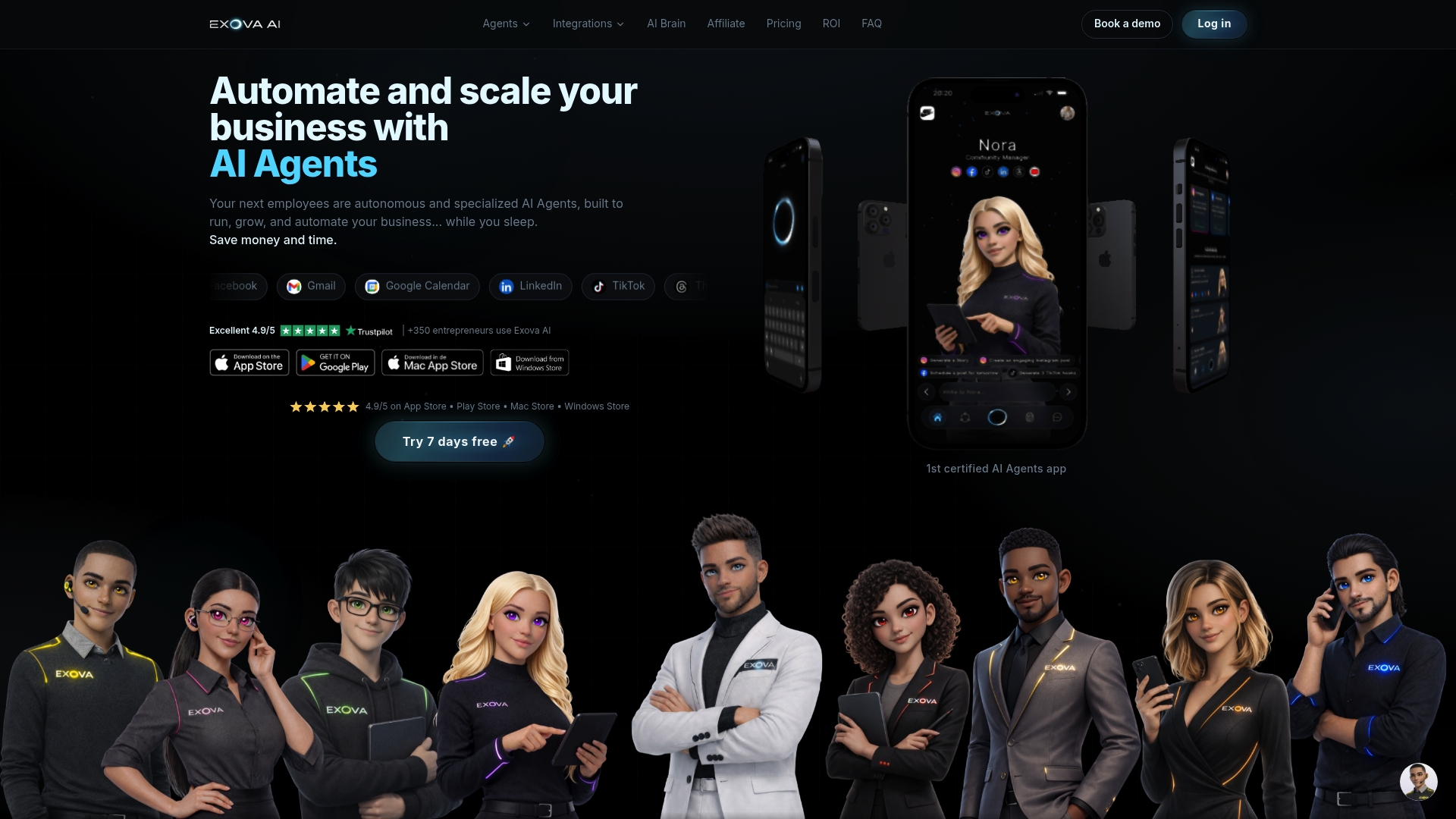
Exova AI reports a 4.9/5 rating from over 350 entrepreneurs, according to the vendor. The company advertises itself as the first certified AI Agents app, a marketing claim that appears on its site. The product is available through major app stores and offers a free workspace plus a 7-day trial.
Core features
- Autonomous AI Agents that run routine business tasks without constant human input.
- Integration with common business apps and social channels to connect workflows across platforms.
- Automation for social media posting, email responses, scheduling, and customer engagement.
- Free workspace creation and a 7-day free trial to test setups before paying.
- Multi platform availability via Apple, Google Play, Mac, and Windows app stores.
Key differentiator
Exova bills itself as a certified agent platform that ties agents into many business tools. That focus on broad third party integrations makes it practical for owners who need cross channel marketing and customer workflows. Compared with Agentica 2.0, Exova aims at automating marketing and support touchpoints rather than replacing entire product or operations teams.
Pros
-
High reported user satisfaction. That rating above suggests many entrepreneurs find the agent approach useful.
-
Broad integration set. Connecting WhatsApp, Gmail, and social platforms helps centralize customer interactions.
-
Low barrier to try. A free workspace and trial reduce the risk of testing automations on live accounts.
-
App store availability. Mobile and desktop clients let small teams run agents from common devices.
-
Focused feature list. The tool targets everyday marketing, messaging, and scheduling tasks rather than developer-only automations.
Cons
-
The site provides limited technical detail about how agents operate or how decisions are made.
-
Documentation around failure modes, escalation, and agent safety is not clearly published.
-
There is no visible information about enterprise service levels or contract terms for larger teams.
-
Customer support hours and training packages are not described on the product pages.
When it may not fit
If your buying decision requires deep technical transparency, the vendor content lacks detailed agent internals. Large teams that require formal SLAs, on prem deployments, or extensive developer APIs may find the public information insufficient. Buyers expecting guaranteed availability or audited enterprise controls should ask the vendor for specifics before committing.
Notable integrations
- Gmail
- Google Calendar
- TikTok
- Threads University platform
Who it's for
Entrepreneurs and small business owners who want to automate marketing, customer messaging, and scheduling will benefit most. Solo founders running e-commerce or local services will find value in offloading routine replies and post scheduling. Teams that need deep engineering customization may find a different tool more appropriate.
Real world use case
A small e-commerce store uses Exova agents to answer WhatsApp questions, post social updates, and send order notifications. The owner sets rules once and lets agents handle repeats during peak hours. That setup reduces manual work and keeps response times consistent across channels.
Pricing
You can create a workspace for free and try the platform for seven days at no charge. The vendor lists a 7-day free trial as the primary entry point. Contact Exova for details on paid tiers and team pricing.
Website: https://exova.ai
Quadcode.ai
At a glance
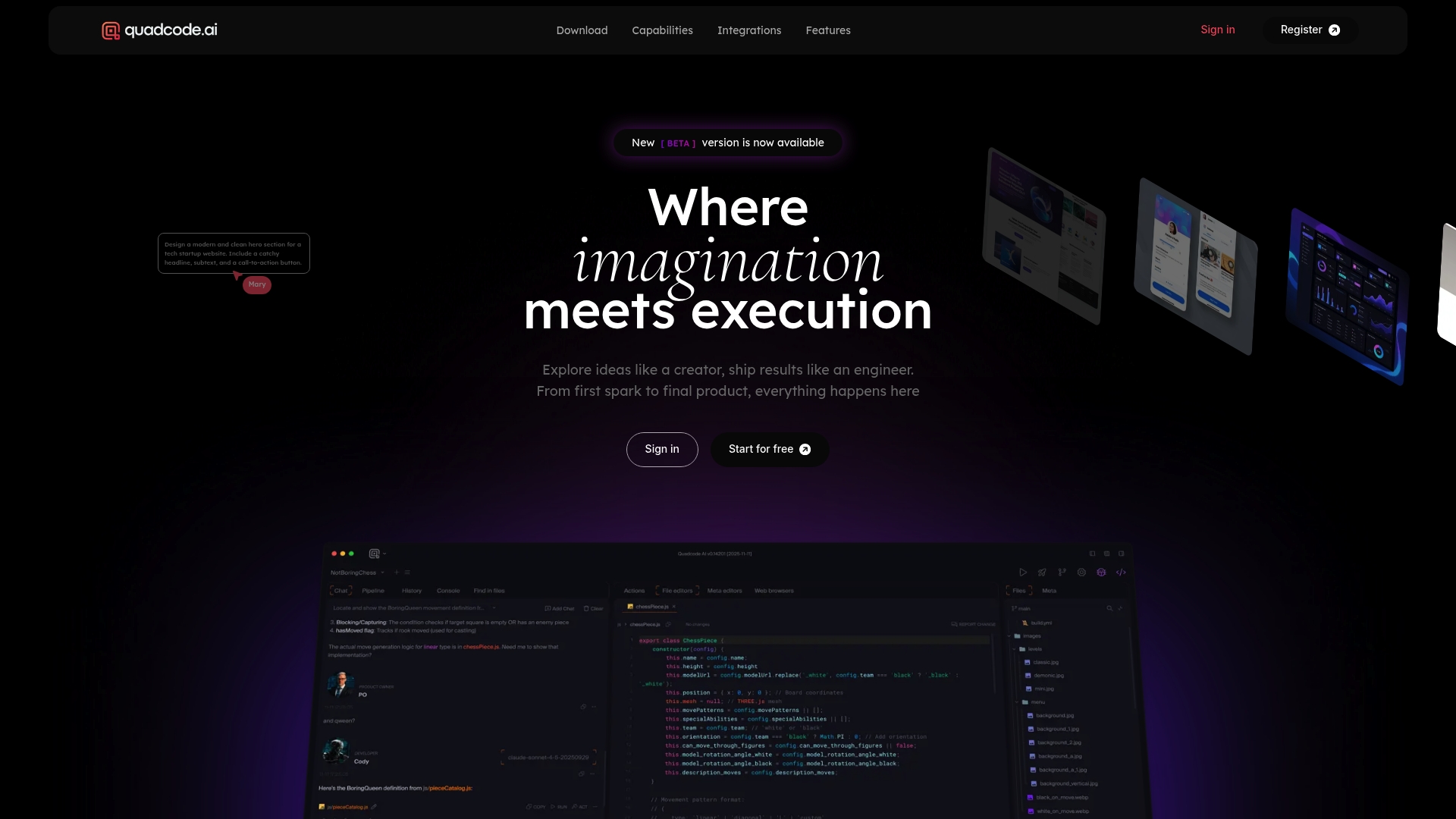
Specialized AI agents run as dedicated workspace workers that manage tooling, repos, and deployment tasks. That agentic first approach groups code, data, and models inside one IDE so teams can move faster from prototype to production. The platform targets technical teams working on full stack apps and media rich projects.
Core features
- Agentic first environment where specialized AI workers understand workspace context and available tools.
- Multi language full stack development with real world repository support and deployment hooks.
- Access to top language models and model agnostic connectors for tasks like code, tests, and content.
- Visual creator tools for images, video, motion graphics, and UI mockups inside the same workspace.
- Integrations with source control, collaboration, databases, and testing tools to keep pipelines in one place.
Key differentiator
Quadcode.ai builds the IDE around role specific agents for each workspace component. Those agents take explicit responsibility for tasks such as managing repos, running tests, or producing visual assets. That structure changes how teams assign work inside the IDE because agents act like specialized teammates rather than generic assistants.
Pros
-
Deep automation of developer tasks. Agents can open repos, run tests, and prepare deployable builds which reduces repetitive work for engineers.
-
Multi platform output. You can produce web, desktop, mobile, and game artifacts without switching tools which keeps deliverables consistent.
-
Media creation built in. The visual toolset generates images, animations, and UI mockups from the same project context where code lives.
-
Open model and tool access. The IDE connects to leading models and common developer tools so teams can pick the stack they already use.
-
Designed for production work. The feature set and integrations focus on moving projects toward release instead of only prototyping.
Cons
-
Complexity for non technical users. The agent driven model and multi language features demand developer knowledge and can overwhelm non technical founders.
-
Potential cost for heavy model use. Relying on multiple top models and premium features may raise expenses for continuous or large scale projects.
-
Output quality depends on model coverage. The platform can only work as well as the models and connectors that the workspace uses.
When it may not fit
Teams that need a simple no code builder or a marketing site editor will find this product too technical. Solo founders without developer resources may face a steep learning curve. Organizations with strict fixed budgets for tooling should evaluate model usage costs before committing.
Notable integrations
GitHub, Slack, Notion, Google Workspace, Confluence, Playwright, PostgreSQL, Prometheus, Puppeteer, Redis, Supabase, Docker, GitLab, MySQL, Neon, SQLite, Sentry, MongoDB
Who it's for
Professional developers, designers, and engineering teams building production ready applications with AI built into the dev flow. Useful for teams that already run CI workflows and want agents to automate tasks. Not aimed at content editors or non technical business owners.
Real world use case
A startup used Quadcode.ai to build a SaaS product while the agents managed repo operations, automated end to end tests, and generated onboarding visuals. Developers kept code and media assets in one workspace. That reduced task switching across tools during the build and release cycle.
Pricing
Pricing was not specified in the available content and appears to follow professional or enterprise tiering. Expect tiered plans that charge for premium model access and enterprise features rather than a single flat fee. Contact sales for exact quotes and licensing terms.
Website: https://quadcode.ai
Lovable
At a glance
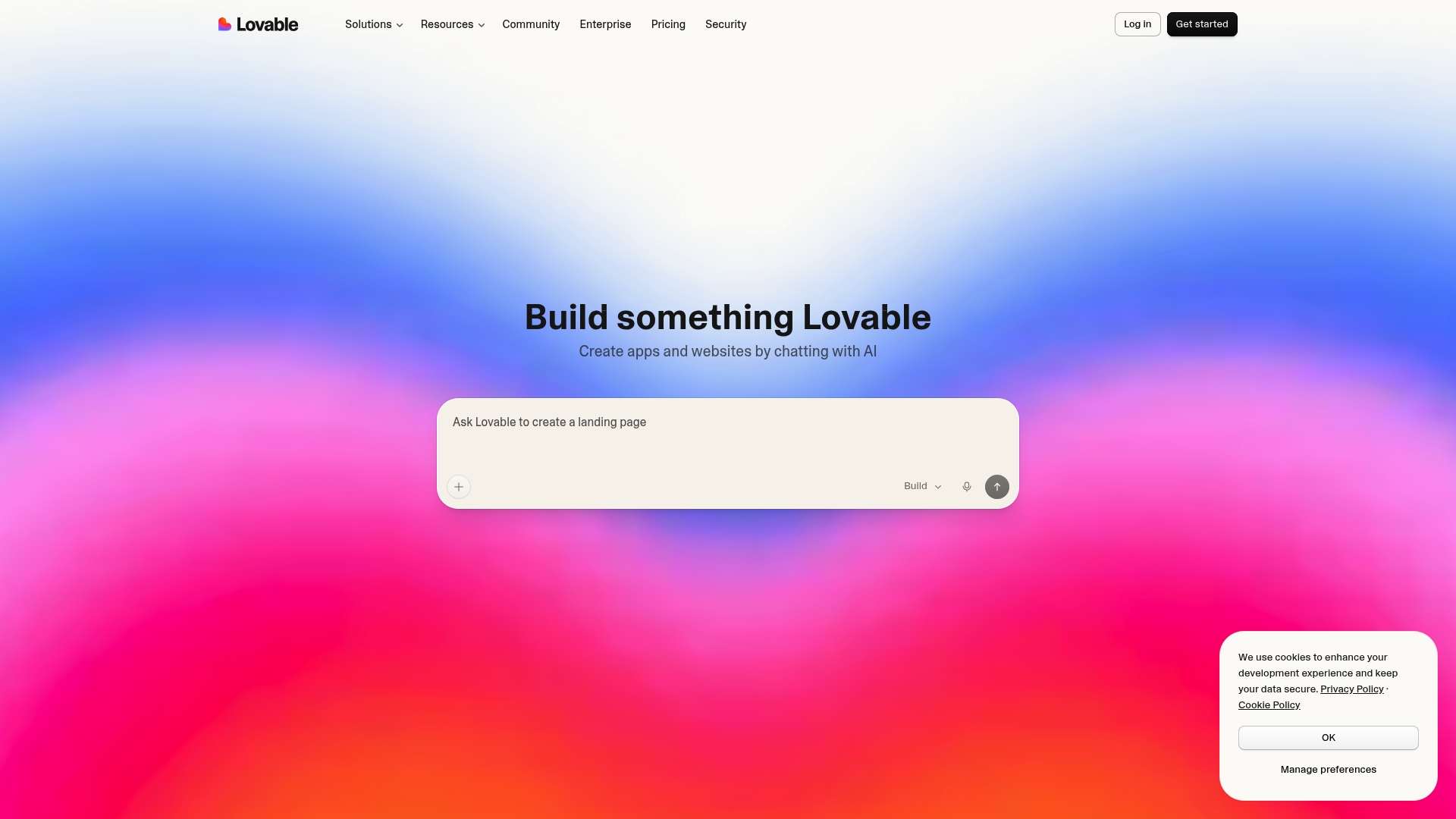
You can turn chat prompts into a deployable app and export the project to GitHub. The interface shows live prototypes as you iterate, so stakeholders see changes immediately. That mix makes prototyping and early builds much faster for product teams.
Core features
Lovable combines conversational app building with collaboration and integrations. The platform targets both rapid prototypes and production ready apps.
- AI-powered chat interface that accepts natural language instructions to create app screens and flows.
- Real-time prototype visualization so you can interact with a working UI while you edit the spec.
- Pre-designed templates for landing pages, dashboards, and internal tools.
- Team access controls and collaborative project management for multiple contributors.
- Integrations and API connectivity to pull context from tools and external data sources.
Key differentiator
Lovable lets you build functional apps and websites through conversational prompts without writing code. That chat first approach converts product intent directly into UI, data wiring, and runnable pages. For teams that prefer describing behavior over manual UI assembly, this cuts handoff time between design and engineering.
Pros
-
Enables rapid app and website development without coding skills. Teams with limited front end staff can produce working prototypes quickly.
-
Supports collaborative workflows for teams and enterprises. Role based access and project controls keep work organized across contributors.
-
Offers pre-built templates for common project types. Templates reduce time spent on boilerplate UI and standard pages.
-
Provides integrations with popular productivity tools and API connectivity. That makes it simpler to attach real data during prototyping.
-
Allows code export and version control through GitHub. Engineering teams can pick up generated code and continue development.
Cons
-
Limited detail on the scope of customization and styling capabilities compared to dedicated design tools. Expect less pixel level control than manual front end work.
-
Buyer reviews indicate potential limitations in scalability and advanced security features for very large enterprises. Large regulated deployments may need additional security work.
-
Pricing and plan differences may feel complex for small teams or individual users. The capacity based model requires careful plan selection.
When it may not fit
If you need pixel perfect styling and full CSS control, Lovable may not meet that requirement. Complex back end logic or highly specialized integrations can exceed what the conversational builder easily handles. Large enterprises with strict security certifications should plan for additional validation and controls.
Notable integrations
Lovable connects to common product and engineering tools. Notion, Jira, GitHub, Linear, Confluence, and generic API connectivity let you wire data and sync context during development.
Who it's for
Product managers, designers, and engineering teams at startups, agencies, and enterprises who want faster prototypes and early production builds. Teams that prefer specifying features in conversation rather than wiring every UI element will see the most value. Engineering still plays a role after export.
Real world use case
A product manager prototypes a new feature by describing screens in chat and linking a Jira ticket for requirements. The team previews a working prototype, connects sample data through the API connection, and exports the code to GitHub for engineering to complete. Stakeholders approve the interaction before dev work begins.
Pricing
Lovable offers a free tier to start and paid upgrades based on capacity and team needs. The vendor describes capacity matched plans so teams pay for the level of usage and collaboration they require.
Website: https://lovable.dev
Bolt
At a glance
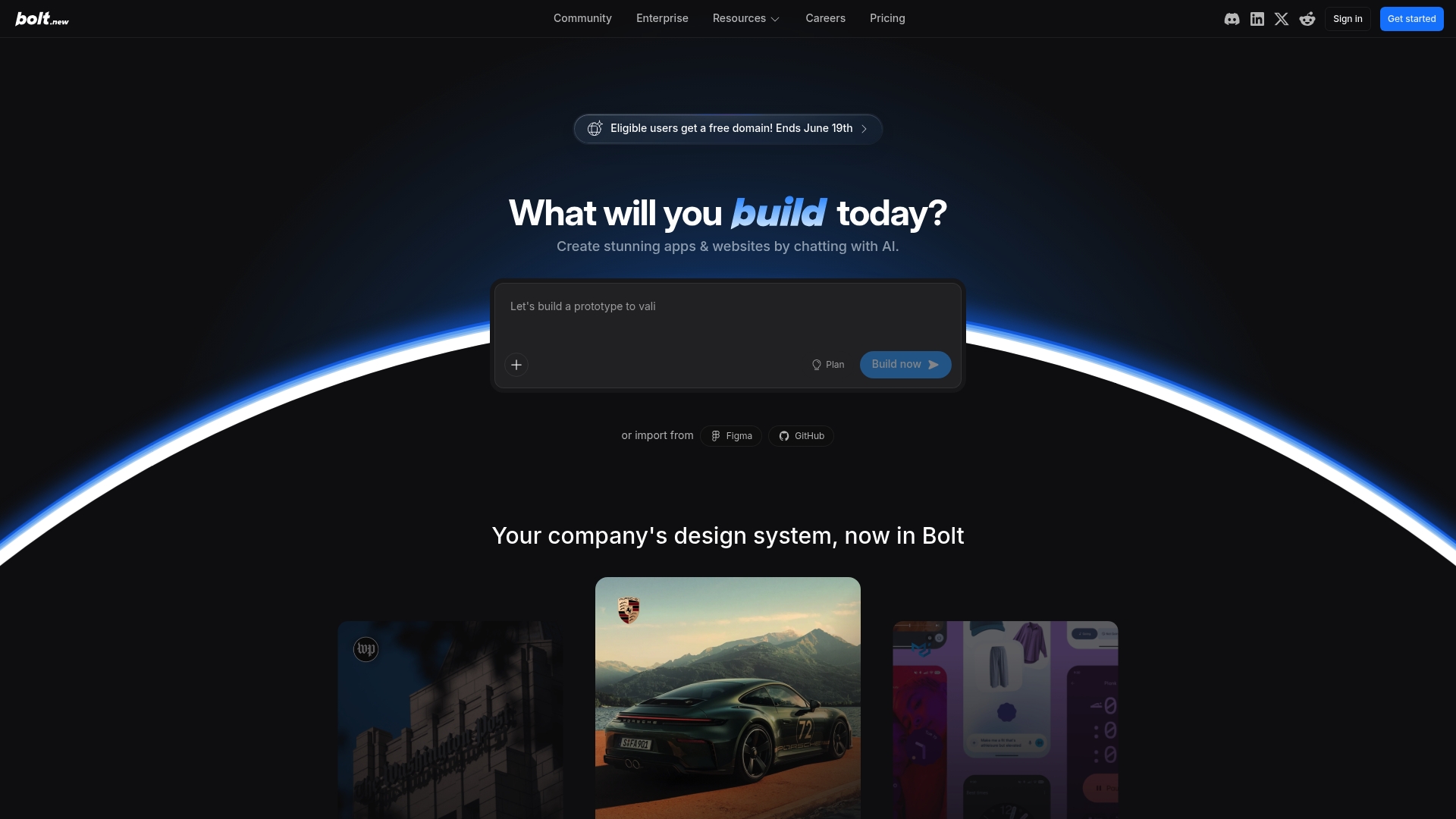
Bolt supports design system integrations for brands such as Porsche, Material UI, Chakra, Shadcn, and Washington Post. This makes it easy to keep brand rules consistent across sites and apps. The platform also bundles hosting, databases, and team collaboration into the same product. That reduces the number of separate tools you must connect to launch projects quickly.
Core features
-
Chat-driven AI builder that generates app and website code from conversational prompts. Teams can iterate by chatting instead of writing every spec.
-
Design system integrations for major UI libraries and brand systems, which helps enforce visual consistency across pages and components.
-
Built-in hosting and database management so teams do not need to stitch backend services together. Projects can deploy and host from the same control plane.
-
Team management and collaboration tools that handle access, shared projects, and basic project coordination for groups working on the same products.
-
SEO and custom domain support, including temporary promotions for free domains for eligible users until June 19th.
Key differentiator
Bolt pairs conversational code generation with direct design system support and full backend hosting. That combination keeps design fidelity and runtime infrastructure in one place. For teams that must produce branded web experiences quickly, having design tokens, a build pipeline, and hosting under one roof is the primary benefit.
Pros
-
Supports large projects with improved context handling. This helps when you work on multi page apps that share state and components.
-
Offers a free tier and paid plans with an enterprise option. The pricing structure lets small teams experiment before committing to paid seats.
-
Built-in backend infrastructure removes the need to combine separate hosting and database providers. Teams save setup time and fewer integration points mean fewer deployment surprises.
-
Design system support simplifies branded development. Agencies and product teams keep components consistent without manual rebuilds.
-
Collaboration features let product managers, designers, and developers work in the same environment. That cuts handoff friction between roles.
Cons
-
Deployments can be affected by external platform problems. The product data reports a Netlify related outage that impacted deployments during the incident window.
-
The vendor provides limited detail on which AI models run the code generator and how much model customization is possible. That creates uncertainty for teams that require tailored models.
-
Costs can grow for larger teams or heavy usage beyond the free tier. Expect per seat billing to rise for many team members.
When it may not fit
Bolt may not fit teams that need fully custom AI models or proprietary runtime integrations. Organizations that require strict model controls might find the platform restrictive. If you need guaranteed isolation from external hosting providers, the reported dependency on third party services could be a blocker for critical operations.
Who it's for
Product teams, small agencies, entrepreneurs, marketers, and students who need fast app and site delivery with brand consistency will find Bolt useful. It fits groups that value reducing integration work and prefer a single environment for design, code, and hosting. Teams that require deep model customization should evaluate limits first.
Real world use case
A marketing agency delivering several branded microsites used Bolt to apply a client design system across projects. The agency generated pages by chat, assigned team roles for editing, and deployed sites using the built-in hosting. The workflow cut handoff time between design and deployment.
Pricing
Bolt offers a free tier, a Pro plan at $25/month, and a Teams plan at $30/month per team member. Enterprise pricing is available for large organizations with advanced security and support requirements. The four tier options let teams scale spending as their needs grow.
Website: https://bolt.new
Comparison of alternatives
The landscape of AI-powered business-building platforms includes diverse solutions catering to the needs of entrepreneurs, startups, and teams. Evaluating these options reveals distinct strengths when determining the most suitable fit for specific requirements.
Evaluating features and operational adaptability
Astarlabshub.com provides a approach by deploying Multi-Agent Teams for automating end-to-end business strategy, processes, and deployments. Buildy emphasizes centralized asset ownership and an integrated environment for resource optimization. Exova AI targets marketing and support automation, making it suitable for firms aiming to streamline communications. Lovable prioritizes real-time prototype generation, making it ideal for iterative development needs. Quadcode.ai caters to developers requiring advanced media-rich application development tools, offering flexibility in integration and workspace customization.
Comparing usability and scalability across products
Astarlabshub.com supports autonomous operation, removing the necessity for manual oversight across project stages. Buildy excels in removing integration complexities, ideal for startups managing multiple processes in-house. Quadcode.ai offers specialized tools for technical teams, while Exova AI and Lovable provide scalable options for smaller teams exploring workflow enhancements.
Best fit
- For fully autonomous business operations, astarlabshub.com offers versatility in managing multi-dimensional tasks.
- Entrepreneurs seeking simplicity in resource management and unified operational flow will advantageously adopt Buildy.
- Developers requiring specialized IDE agents for media-rich apps will find Quadcode.ai advantageous.
- Teams desiring quick prototype creation and real-time iteration should consider Lovable for its intuitive and efficient system.
Our pick
For users desiring a reliable system to independently manage all stages of business workflow automation, astarlabshub.com stands out as the definitive option. However, businesses seeking highly specialized integrations or unique design features may find other platforms, such as Quadcode.ai or Lovable, better suited to their distinctive needs.
When considering AI-powered business builders, the following table provides insights into leading platforms' features to support your decision-making:
| Platform | Key Differentiator | Best For | Pricing | Notable Limitation |
|---|---|---|---|---|
| Agentica | Multi-Agent automation for full business operations | Nontechnical founders and startups | Free, $29–$199/mo | Still in private beta |
| Buildy | Single environment for business setup and operation | Solo entrepreneurs | Not disclosed | Limited advanced customization capabilities |
| Exova AI | Broad third-party integrations for cross-channel workflows | Small business owners in service industries | Free, Contact for pricing | Vendor transparency on AI operations is limited |
| Quadcode.ai | IDE-focused agent tasks for production-ready applications | Professional developers and engineering teams | Not disclosed | Requires significant technical knowledge |
| Lovable | Conversational prompt-based app development | Startups and product managers | Free, Paid upgrades | Limited customization for detailed designs |
| Bolt | Chat-driven design system integrations with backend hosting | Marketing agencies and small business teams | Free, Pro $25/mo | Dependence on external hosting platforms |
Discover how Astarlabshub solves key challenges in nocodelab.ai alternatives
Navigating the wide array of nocodelab.ai alternatives can feel overwhelming, especially if you are a non-technical founder aiming to launch products fast without coding. Many platforms require juggling multiple tools or lack transparency in how AI agents handle your business operations. Astarlabshub addresses these challenges by offering Agentica 2.0, where a dedicated team of AI agents autonomously manages everything from strategy and coding to deployment, enabling you to focus on growing your vision with confidence.
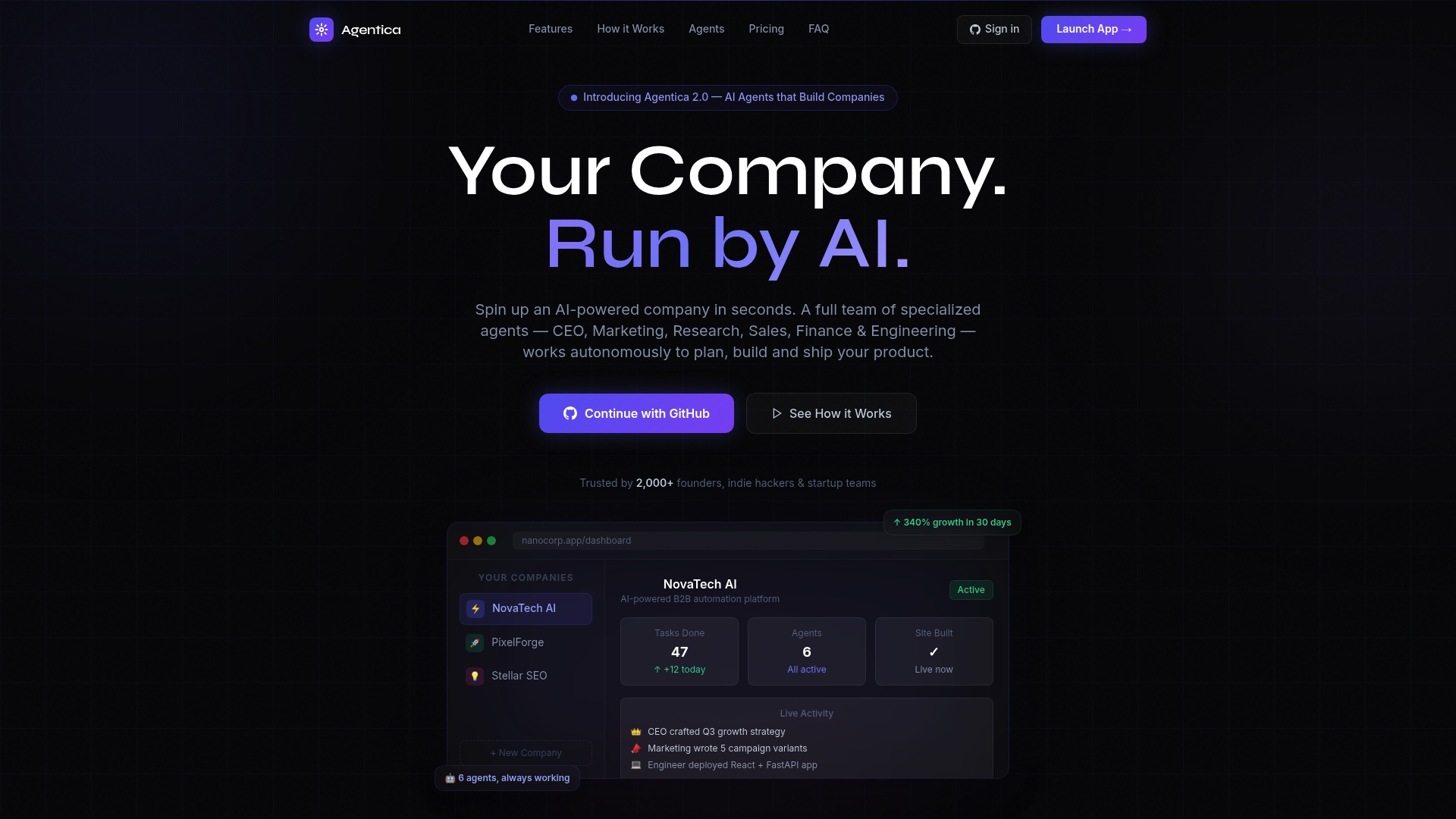
Take control with Astarlabshub’s unique autonomous mode that provides real-time monitoring and a swift path from idea to deployment. Visit Astarlabshub to explore how you can accelerate your launch and thoughtfully advance your startup without technical hurdles. Get your company brief turned into a live app and marketing site, all without writing a single line of code.
FAQ
What makes Astarlabshub a good choice for non-technical founders?
Astarlabshub allows non-technical founders to rapidly automate company workflows without coding. The platform provides a fully automated solution with a Multi-Agent Team that generates deployable code, enabling users to focus on strategy rather than technical execution.
How does Astarlabshub compare to buildy for solo entrepreneurs?
Buildy streamlines the entire business process with seven AI agents handling various tasks, which can help solo entrepreneurs launch without hiring specialists. Conversely, Astarlabshub excels in automating workflows specifically for non-technical founders who want to manage the entire lifecycle of a product from idea to deployment efficiently.
What unique features does Astarlabshub offer compared to other alternatives?
Astarlabshub features an Autonomous Mode that allows continuous operation of its AI agents without manual input. This capability is particularly beneficial for founders who prefer a hands-off approach to update management and application deployment.
Can i use other platforms if i prefer extensive customization?
Platforms like Buildy may not meet detailed customization needs for advanced users. Those requiring high levels of customization might find Astarlabshub's focus on automated workflows limiting as it favors rapid deployment over bespoke solutions.
What benefits does Astarlabshub provide for product launches?
Astarlabshub supports rapid product launches by integrating with common deployment tools like GitHub and Vercel, allowing users to seamlessly push code and host their applications. This integration helps reduce the time spent on setup and allows for faster go-to-market strategies.