
The AI generate and deploy application process is defined as creating functional AI-driven software and bringing it live using modern automation practices built for speed and reliability. Startup founders can go from a written prompt to a live URL in under 80 minutes using AI-native builders. That speed is real, but it only holds when you pair it with proper infrastructure. Industry standards like GitOps, infrastructure-as-code (IaC), and blue-green deployment exist precisely to keep fast-moving teams from shipping fragile systems into production. This guide covers the full AI app development process, from first prototype to production-grade deployment, with no steps skipped.
What prerequisites and tools do you need to generate and deploy AI applications?
The right tool stack determines whether your AI app survives contact with real users. Before writing a single line of code, founders need to understand three layers: prototyping, infrastructure, and orchestration.
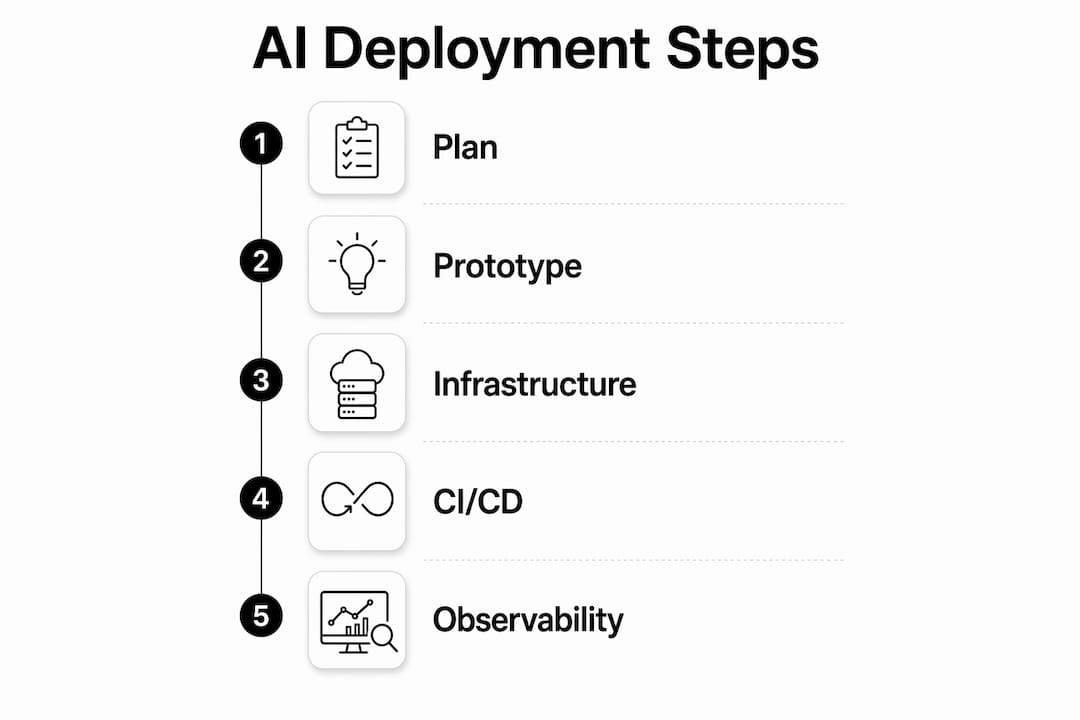
For prototyping, AI-native builders and low-code platforms let you validate ideas without a full engineering team. These tools connect directly to large language model APIs and handle basic UI scaffolding. They work well for demos and early user testing. Once your logic grows beyond simple API calls, transitioning to orchestration frameworks becomes necessary.

For infrastructure, tools like Terraform and Terragrunt define your cloud environment as code. That means your staging and production environments are identical, reproducible, and auditable. ArgoCD handles Kubernetes cluster state by reconciling your live environment against your Git repository. This approach enforces compliance and enables self-healing when deployments drift from their intended state.
For day-to-day operations, CI/CD pipelines automate testing and deployment on every code push. Environment variables keep secrets out of your codebase. Containerization with Docker packages your app consistently across environments.
| Tool / Platform | Category | Best For |
|---|---|---|
| Terraform / Terragrunt | Infrastructure-as-code | Reproducible cloud environments |
| ArgoCD / Flux | GitOps orchestration | Cluster state management |
| Flask / FastAPI | Backend frameworks | Lightweight AI API endpoints |
| Vercel / Railway | Deployment platforms | Fast prototype live URLs |
| Docker / Kubernetes | Containerization | Production-grade packaging |
Prompt versioning is the one prerequisite most founders skip. Treating your prompts as code, with version control and change history, prevents silent regressions when you update model behavior. Build this habit from day one.
How do you generate a functional AI prototype quickly?
Speed in the prototype phase comes from eliminating everything that does not directly test your core assumption. The fastest path to a working AI app follows a tight sequence.
- Write your prompt first. Define exactly what the AI should do, what inputs it receives, and what outputs it returns. A clear prompt is your functional specification.
- Call the AI API directly. Skip UI frameworks at this stage. Use Python with a library like the OpenAI SDK or Anthropic's client to hit the model endpoint and log raw outputs.
- Wrap it in a backend endpoint. Flask and FastAPI both let you expose your AI logic as an HTTP endpoint in under 30 lines of code. This makes your prototype callable from any frontend or testing tool.
- Deploy to a fast platform. Vercel and Railway both offer one-command deployments that produce a live URL within minutes. Simple prototypes deploy in under 10 minutes on these platforms.
- Test with real inputs. Send actual user queries, not synthetic test data. Real inputs surface edge cases that clean test data never will.
Pro Tip: Skip the frontend entirely for your first two weeks. A live API endpoint is enough to gather user feedback, validate your AI logic, and attract early customers. Frontend work before validated logic is the most common time sink in early AI app development.
The most common pitfall at this stage is over-engineering the prompt before testing it. Write a simple prompt, deploy it, and let real usage tell you what to fix. Founders who spend three weeks perfecting a prompt in isolation consistently ship slower than those who test rough versions with actual users on day two.
What are essential practices for enterprise-grade AI deployment?
Moving from prototype to production is where most AI projects stall. The gap is not technical complexity. It is the absence of automation and governance. Enterprise-grade AI deployment requires infrastructure-as-code and deployment automation strategies like blue-green or canary releases.
GitOps is the operational model that closes this gap. With tools like ArgoCD, your Git repository becomes the single source of truth for your entire cluster state. ArgoCD reconciles cluster state with your Git repo, enforcing compliance and triggering self-healing when live state drifts. Rollback times after critical issues average 4 minutes with GitOps-enabled systems. That number matters when a bad deployment is costing you users in real time.
Deployment strategies determine how safely you release changes:
- Blue-green deployment runs two identical environments simultaneously. You shift traffic from the old version to the new one instantly, with zero downtime and a one-command rollback.
- Canary releases route a small percentage of traffic to the new version first. If error rates stay flat, you gradually increase traffic. If they spike, you roll back before most users are affected.
- Prompt versioning as code means every change to your AI's instructions goes through the same pull request, review, and CI pipeline as your application code.
"Deployment is not just code execution. It includes establishing reliable operational environments with observability and governance layers." Systems compliant with regulations like the EU AI Act require monitoring and traceability built into the deployment pipeline from the start.
Observability is non-negotiable in production. You need logs, metrics, and traces that tell you not just whether your app is running, but whether its AI outputs are behaving correctly. Set rollback triggers on output quality metrics, not just uptime. Unified AI stacks reduce operational complexity and support observability, scaling, and governance in one place.
What are common challenges when deploying AI applications?
Production AI apps face a category of failure that traditional software does not: the model's behavior can change without any code change. Understanding these failure modes before they hit production is the difference between a recoverable incident and a customer-facing disaster.
- Data and concept drift. The real-world inputs your app receives in production often differ from what you tested against. Automated drift detection compares live input distributions against your baseline and alerts you before outputs degrade.
- API rate limits and runaway costs. AI APIs charge per token. An agent with broad permissions and no rate limits can generate thousands of dollars in API costs in minutes. Configuring API rate limits and permissions before production deployment protects your budget and your data.
- Prompt consistency during updates. When you update a prompt, the model's output distribution shifts. Version your prompts, run semantic quality checks in CI, and use canary rollouts to catch regressions before they reach all users.
- Agent tool misuse. AI agents with access to external tools, databases, or APIs need strict permission scoping. Testing agent tool usage in isolated environments before production integration protects operational integrity.
Pro Tip: Run shadow mode deployments when validating major changes. Your new version processes real traffic in parallel with the current version but does not serve its outputs to users. You compare results side by side before committing to a full rollout. This approach, combined with prompt versioning as code, eliminates the most common source of silent production regressions.
The founders who handle these challenges best share one habit: they instrument their AI outputs from day one. They do not wait until something breaks to add logging. They treat output quality as a metric, track it continuously, and set automated alerts when it drops below threshold.
Key takeaways
Building and deploying AI applications at speed requires a structured process, not just fast tools. The most reliable path combines rapid prototyping with GitOps automation, prompt versioning, and production observability from the first deployment.
| Point | Details |
|---|---|
| Prototype speed is real | AI-native builders can produce a live URL in under 80 minutes for simple apps. |
| Prompts are code | Version every prompt change through Git and run semantic CI checks before deployment. |
| GitOps cuts recovery time | ArgoCD-enabled rollbacks average 4 minutes, protecting uptime during production incidents. |
| Governance is not optional | EU AI Act compliance and observability layers must be built into the deployment pipeline from the start. |
| Test agents in isolation | Always validate AI agent tool usage in a sandboxed environment before connecting to production systems. |
Why I think most founders get the speed-reliability balance wrong
Speed is the right obsession at the prototype stage. I have watched founders spend months building infrastructure before validating a single user assumption, and it is almost always a mistake. Ship the rough version. Get real feedback. The prototype phase is supposed to be fast and disposable.
The mistake happens when founders carry that same "move fast" mindset into production. A no-code builder that worked perfectly for your demo will fail under complex logic the moment you add retrieval pipelines, stateful agents, or multi-step API chains. The tool did not change. Your requirements did. Recognizing that transition point early saves weeks of debugging production failures that the tool was never designed to handle.
My practical advice: set a complexity threshold before you start. If your app needs more than two external API calls, stateful memory, or role-based agent behavior, plan for a proper orchestration framework from the beginning. Do not retrofit GitOps onto a no-code foundation. The role of AI in app development has matured enough in 2026 that the tooling for proper orchestration is accessible to small teams. Use it.
Observability is the other thing I would tell every founder to prioritize earlier than feels necessary. You will not know your AI app is misbehaving until a user tells you, unless you are already watching output quality metrics. Build the dashboards before you need them. Rollback mechanisms are only useful if you know when to trigger them.
— Carlos
Agentica by Astarlabshub handles the full deployment cycle for you
Founders who want to build and ship AI applications without assembling a DevOps team from scratch have a direct path through Astarlabshub's Agentica platform. Agentica 2.0 deploys a coordinated team of specialized AI agents, covering engineering, marketing, and operations, that manage the end-to-end process of building and running your product.
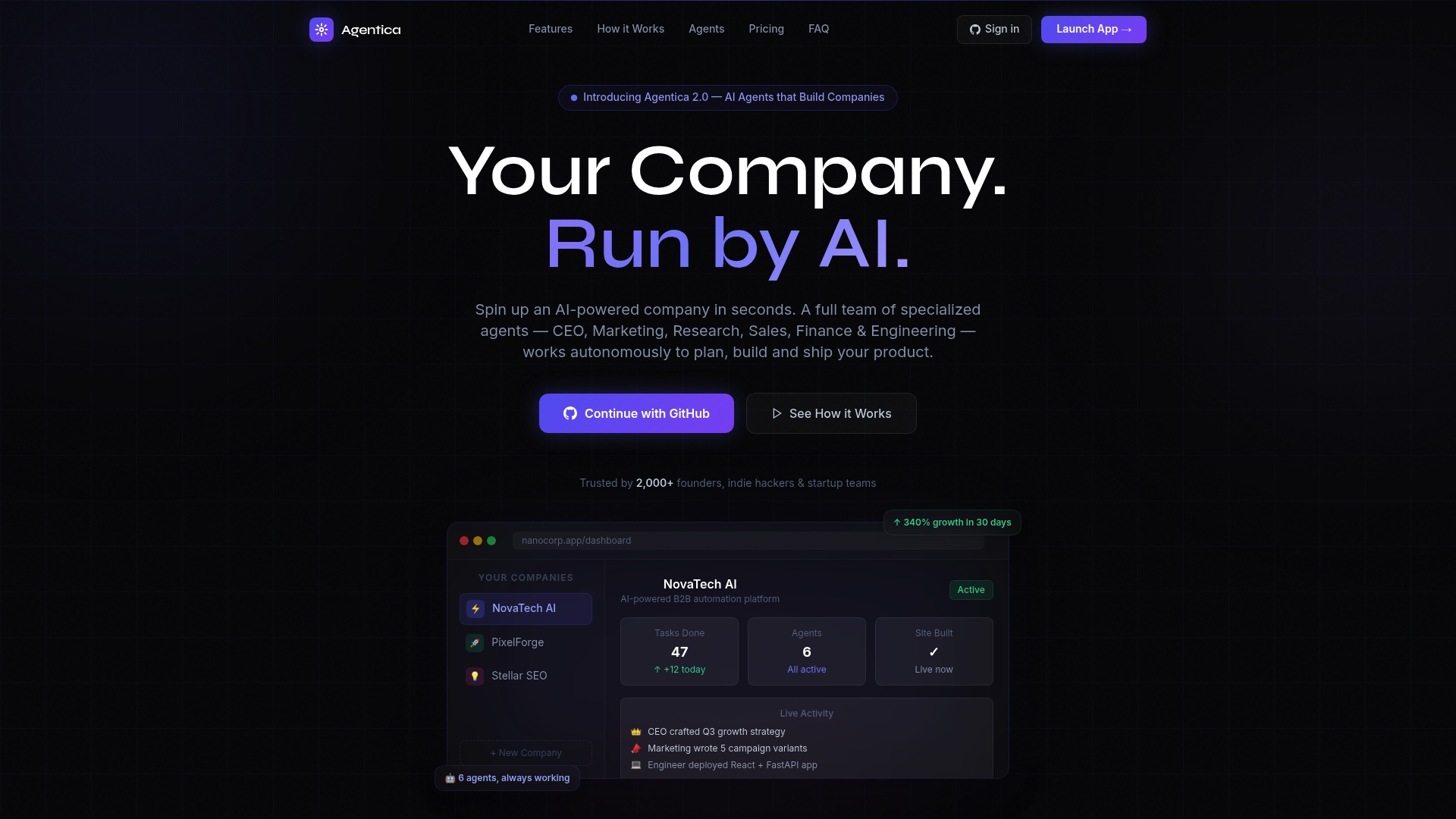
Astarlabshub reports 340% growth for clients within 30 days of deployment. The platform includes real-time monitoring and full operational transparency, so you always know what the agents are doing and why. Agentica handles autonomous agent orchestration, CI/CD automation, and observability in one place. Founders focused on product vision can review the full feature set and pricing options to find the right fit for their stage.
FAQ
What does it mean to generate and deploy an AI application?
Generating an AI application means creating functional software that uses AI models to process inputs and return outputs. Deploying it means making that software live and accessible to users through a reliable, automated infrastructure.
How fast can a founder deploy an AI app prototype?
Simple prototypes can go live in under 10 minutes on platforms like Vercel or Railway. A more complete AI app with backend logic and CI/CD pipelines typically takes several hours to a full day.
What is GitOps and why does it matter for AI deployment?
GitOps uses a Git repository as the single source of truth for your infrastructure and application state. Tools like ArgoCD enforce that state automatically, enabling rollbacks in as little as 4 minutes after a critical production issue.
When should I move beyond a no-code AI builder?
Move to a standard orchestration framework when your app requires complex API chaining, retrieval pipelines, stateful memory, or multi-agent coordination. No-code tools fail in production once logic exceeds simple single-step API calls.
How do I prevent runaway API costs in production AI apps?
Set strict API rate limits and permission scopes for every AI agent before connecting it to production. Test all agent tool usage in an isolated environment first, and monitor token consumption with automated cost alerts from day one.